
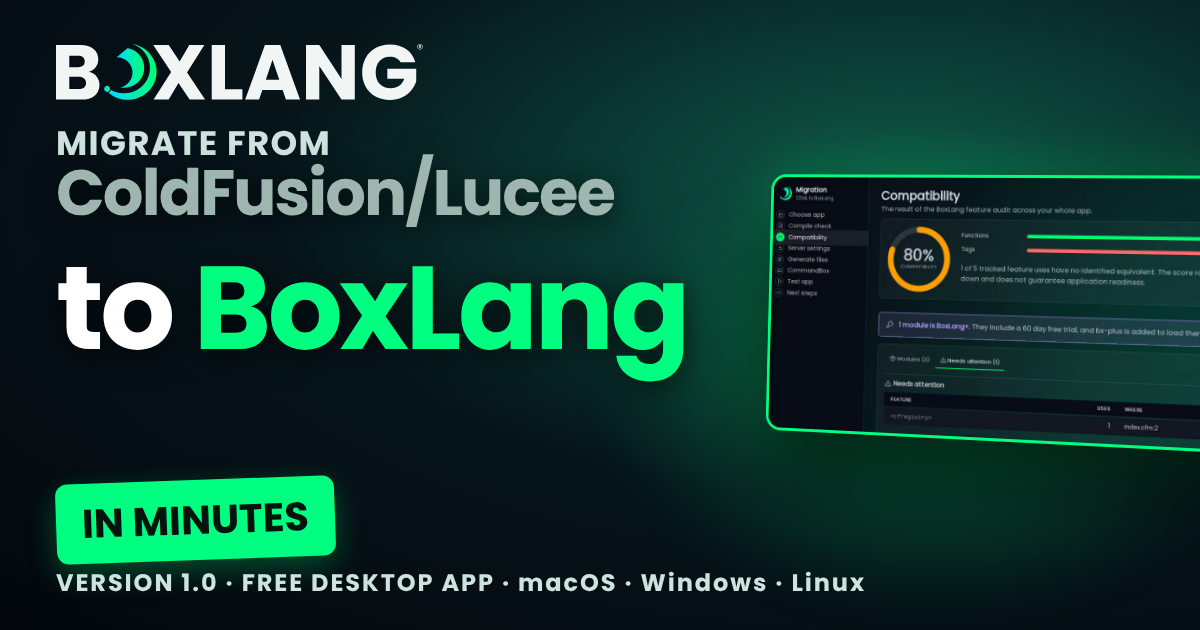
Moving a CFML application to a new runtime has always meant weeks of guesswork. Which files will even compile? Which tags and functions are missing? Which modules do you need, which settings come along, and how do you prove the app still works?
Today we are releasing the BoxLang Migration Assistant 1.0, a free desktop app that answers all of those questions for your own application, in minutes, on your own machine. Point it at an Adobe ColdFusion or Lucee app and it walks you step by step from "will this run?" to a running BoxLang server, a migration plan your team can import into Jira or GitHub, and an AI prompt that helps your own LLM fix what is left.
Your code never leaves your computer. Nothing is uploaded, and nothing is committed for you.
Watch the BoxLang Migration Assistant on YouTube
FYI: The entire Desktop app was built using our BoxLang Desktop Runtime: https://github.com/ortus-boxlang/boxlang-starter-desktop-electron
What it does, step by step
1. Choose your app
Pick the folder of your CFML application. The assistant scans it and tells you what it found: the engine it was built for (from your server.json, such as adobe@2023 or lucee@5), how many source files there are, whether it is a git repository, and whether you already have a CFConfig file or a box.json.
2. Compile check
Every .cfm and .cfc file is parsed by the real BoxLang compiler. You get a list of the files that do not compile, the exact line and column, the surrounding code, and a ready-made prompt you can paste into your own LLM to fix each one. Most apps pass this step untouched.
3. Compatibility audit
BoxLang's feature audit looks at every tag, function and member method your app uses and sorts them into three groups:
- Supported by the BoxLang core.
- Provided by a module, such as
bx-compat-cfml,bx-spreadsheetorbx-pdf. The assistant adds these for you. - Gaps: features with no BoxLang equivalent, each with the files and lines where they are used.
You get a compatibility score, a score per category, and the exact list of modules your app needs.
4. Server settings
Your datasources, mail servers, mappings and other server settings live in a CFConfig file. If your app already has one, the assistant finds it and points CommandBox at it. If not, it shows you how to export one from your current Adobe or Lucee server, or gives you a starter .boxlang.json to begin with.
5. Generate files
The assistant previews every file it will write, with a diff for anything that already exists:
server.jsonthat starts your app on BoxLang with the right modules.box.jsonwith your dependencies.MIGRATION.md, your migration checklist.AGENTS.mdand custom AI skills for BoxLang migration and modules. This is an AI integration: any coding agent that opens your project (Claude Code, Copilot, Cursor and others) reads them and knows how to find and fix the remaining migration issues.
Then you choose where they go: a new git branch, your app folder, or a separate copy. Existing files are merged and backed up. Nothing is committed for you.
6. CommandBox check
BoxLang apps run on CommandBox. The assistant checks that it is installed and, if not, shows you how to install it.
7. Test your app
One click starts your app on BoxLang with CommandBox, on the port from your server.json, and tells you when it answers. If it does not start, you get the log and a prompt for your LLM. The server is stopped when you are done, and when you close the app.
8. Your migration plan
This is where the assistant turns results into work your team can do.
The migration checklist. Every result becomes an item with a status: done, to do, or a task for your team. Fix the files that do not compile. Replace each unsupported feature, with advice on how. Add the modules. Choose server settings. Start the app. Test your key pages. Check datasources, mail, scheduled tasks and file paths. Set up production. Plan your rollback. Each item has steps, acceptance criteria and an effort size, so managers can plan sprints.
Tickets for Jira and GitHub. Export the checklist as a Jira CSV file (one Epic, one Task per open item, ready for Jira's CSV import) or as GitHub issues in Markdown, with an optional script that creates them with the GitHub CLI. Every ticket carries its steps, acceptance criteria, file locations and its own AI prompt.
One AI prompt for the whole migration. Copy a single prompt that tells your LLM to read AGENTS.md and the migration skills first, then work through the open items in order and verify each fix with boxlang check.
A report for management. A printable report, which you can save as a PDF, with the scores, the checklist and what it takes to move. It leaves out file paths and source code by default, so you can share it safely, and you can switch file locations on when it goes to developers.
Licensing that removes barriers
The report also answers the question every migration eventually asks: what will it cost to run?
- The BoxLang core is free and open source, under the Apache 2.0 license. If the audit finds no BoxLang+ modules, the report tells you so plainly: your app runs on the free, open source core.
- Predictable licensing. Zero core counting. BoxLang+ is not priced by CPU cores, RAM, nodes or traffic. It is priced per production server, per container or serverless pack, or per desktop app pack.
- Dev machines never count, serverless invocations are not metered, and non-production environments are 50% of production.
- Every BoxLang+ module includes a 60 day free trial, so you can install and test your app before you choose a plan.
Estimate your cost in a minute with the BoxLang license calculator and compare the BoxLang plans.
BoxLang+ and BoxLang++ subscriptions include professional support from Ortus Solutions, the team that builds BoxLang, and it helps sustain the project:
- BoxLang+: 12 support incidents a year, priority and security patches, and Monday to Friday support.
- BoxLang++: 24 support incidents a year, Monday to Sunday support, a dedicated Slack channel, an account manager, and 20% off consulting.
And every subscription funds the continued development of the open source BoxLang core, so the whole community moves forward. If you would rather not migrate alone, Ortus Solutions can plan and do the migration with your team.
Install the BoxLang Migration Assistant
Download
Get version 1.0.0 for your computer:
| Your computer | Download |
|---|---|
| macOS (Apple Silicon) | DMG installer or zip |
| Windows (Intel or AMD) | Installer or zip |
| Windows (ARM) | Installer or zip |
| Linux (Debian, Ubuntu) | .deb x64 or .deb ARM |
| Linux (Fedora, RHEL) | .rpm x64 or .rpm ARM |
| Linux (any distribution) | AppImage x64, AppImage ARM or Flatpak x64 |
All files are also on the downloads site.
You do not need Java or BoxLang installed. The app ships with its own Java runtime and its own BoxLang server.
Install
- macOS: open the
.dmgand drag BoxLang Migration Assistant into Applications. - Windows: run
BoxLangMigrationAssistant.exe. It installs for your user and adds a Start menu shortcut. - Linux: install the package with your package manager, for example
sudo apt install ./<file>.deborsudo dnf install ./<file>.rpm. For the AppImage, make it executable withchmod +x <file>.AppImageand run it. For the Flatpak, runflatpak install <file>.flatpak.
What else you need
- CommandBox, to start your app on BoxLang in the Test app step. If you do not have it, the assistant shows you how to install it. You can still run every other step without it.
- Git (optional), if you want the generated files written to a new branch.
- Your app's CFConfig file (recommended). Export it from your current Adobe ColdFusion or Lucee server so your datasources and settings come along. The assistant shows you how.
Staying up to date
The assistant checks for new versions when it starts. When one is out, a banner tells you and links straight to the download. You can also check any time from Help, Check for Updates.
Your first migration in five minutes
- Open the BoxLang Migration Assistant and choose your app folder.
- Run the compile check and the compatibility audit.
- Pick your server settings and generate the files to a new git branch.
- Start your app on BoxLang and open it in your browser.
- On Next steps, download the Jira or GitHub tickets, copy the AI prompt, and share the report with your team.
Try it today
Download the BoxLang Migration Assistant, point it at your app, and see where you stand in minutes. It is free, it runs on your machine, and it turns a migration into a plan.
- Download: BoxLang Migration Assistant 1.0.0
- Estimate your license: calculator.boxlang.io
- Plans and professional support: boxlang.io/plans
- Documentation: BoxLang Migration Assistant and Running ColdFusion/CFML Apps
- Questions: join us on Slack or the community forum


Add Your Comment