
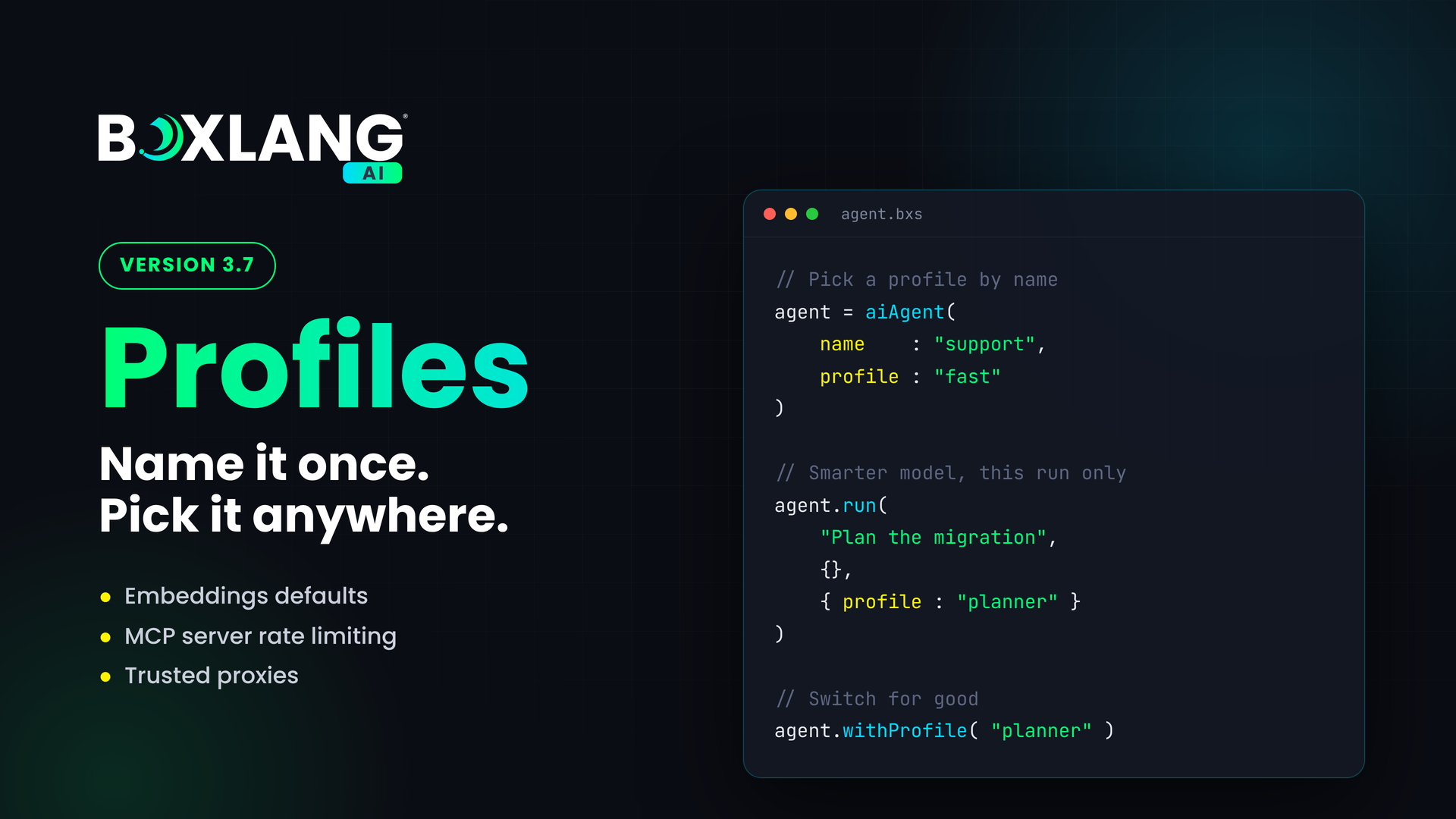
Ortus Solutions announces the release of BoxLang AI 3.7. Name a provider, model, params and API key once, then pick it by name for a call, an agent, or a single agent run. Embeddings get their own defaults, MCP servers you build get rate limiting and trusted proxies, and a handful of important fixes land along the way.
// Name it once in boxlang.json, pick it anywhere
summary = aiChat( "Summarize this ticket", {}, { profile : "fast" } )

agent = aiAgent( name : "support", profile : "fast" )
agent.run( "Plan the migration", {}, { profile : "planner" } )
install-bx-module bx-ai
🧩 Profiles
Real applications rarely use one model for everything. Quick classification wants something cheap and fast. Planning wants something slower and smarter. Until now, that meant passing provider, model, params and keys around your code. In 3.7, a profile is a named combination of provider, model, params, options and API key. Define it once in boxlang.json:
"profiles": {
  "fast": {
    "description": "Cheap and quick, for small tasks",
    "provider": "openai",
    "model": "gpt-4.1-mini",
    "params": { "temperature": 0 },
    "apiKeyEnv": "OPENAI_API_KEY"
  },
  "planner": {
    "description": "Slower and smarter, for planning",
    "provider": "claude",
    "model": "claude-opus-5-5",
    "params": { "max_tokens": 8192 },
    "apiKeyEnv": "CLAUDE_API_KEY"
  }
},
"defaultProfile": ""
Then pick one wherever you work:
aiChat( "Summarize this", {}, { profile : "fast" } )
model = aiModel( profile : "fast" )
agent = aiAgent( name : "support", profile : "fast" )

// This run only, same memory
agent.run( "Plan the migration", {}, { profile : "planner" } )

// Switch for good
agent.withProfile( "planner" )
| Where | How |
|---|---|
aiChat(), aiChatStream(), aiEmbed() | options : { profile : "fast" } |
aiService(), aiModel(), aiAgent() | profile : "fast" |
| One agent run | agent.run( input, params, { profile : "planner" } ), also stream() |
| An agent, for good | agent.withProfile( "planner" ), then agent.getProfile() |
How params layer
Params stack in a predictable order: defaultParams, then providers.<name>.params, then the profile, then the params of the call. Anything explicit in the call always wins.

A profile named default always exists. It is your top level provider, apiKey and defaultParams. Set defaultProfile to use another profile whenever a call names no provider.
Profiles and agents
Switching an agent's profile replaces its model and nothing else. Memory, tools, sub-agents, instructions, the agent's own params and options, plus the middleware, skills and MCP servers stay exactly where they were. That means an agent can think with a planner model and then go back to a fast one without losing its conversation.

Sub-agents keep their own profile, set with aiAgent( profile : ). A profile passed to a run applies to that agent only, never to its sub-agents.
The module validates your settings at startup. Profile names use letters, numbers, _ and -, can't be named like a provider or default, and defaultProfile must exist, or you get an InvalidConfiguration error. Asking for a profile that doesn't exist throws ProfileNotFound.
Built for chat UIs
Building a chat app with a /profile or /provider command? Three new BIFs give you everything you need to list and switch:
| BIF | Returns |
|---|---|
aiProfiles() | Every profile, default first: name, description, provider, model, params, options, apiKeyEnv, hasApiKey, isDefault |
aiProfile( name ) | One of those |
aiProviders() | name, isDefault, hasApiKey for each provider |
aiProfiles().each( ( profile ) => {
	println( "#profile.name#: #profile.description# (#profile.provider# / #profile.model#)" )
} )
A new onAIProfileSwitch event fires with { agent, from, to, scope } whenever an agent changes profile, perfect for logging or updating your UI.
Keys stay secret 🔐
- Nothing returns an API key. Params and options that look like secrets show as
****. - Prefer
apiKeyEnv, the name of an environment variable, over a literalapiKey. - Keys only go to their own provider. A profile key is only sent to that profile's provider, and the global
apiKeyis no longer sent to a different provider when a profile selects one. - No leaks into logs.
profilesis removed from request options, so it never reaches logs or events.
🔢 Embeddings Defaults
aiEmbed() used to borrow your chat provider, which fails when that provider has no embeddings. Now embeddings get their own setting:
"embeddings": {
  "defaultProvider": "openai",
  "defaultModel": "text-embedding-3-small",
  "defaultApiKey": ""
}
Chat on Claude, embed on OpenAI, no extra code. Priority runs from the call, to options.profile, to the embeddings setting, to defaultProfile (its provider, key and options only), then the default provider. Leave the values empty and nothing changes.
🚦 MCP Server Rate Limiting
MCP servers you build with mcpServer() can now limit how often a single client calls them:
mcpServer( "myApp" )
	.withTrustedProxies( [ "10.0.0.0/8" ] )
	.withRateLimit( {
		limit     : 100,
		window    : 60,
		key       : "ip",
		cacheName : "mcpLimits"
	} )

- Checked before authentication. One sliding window counter runs ahead of your auth, and CORS preflights are not counted.
- Pick your key.
"ip"(default),"apiKey","global", or a lambda. With"apiKey", new keys are counted on the IP before your provider is asked, so a flood of fake keys never reaches it. Keys are hashed in stores. - Standard responses. Blocked requests get a
429, JSON-RPC-32002, plusRetry-AfterandX-RateLimit-*headers. - You choose on failure. If the store fails, requests go through, or answer
503withfailOpen : false. - Flexible storage. A BoxLang cache by default,
"memory", or your ownIRateLimitStore. - Several limits per server, like a per-minute and a per-hour budget together:
mcpServer( "myApp" )
	.withRateLimit( {
		limits : [
			{ limit : 60, window : 60 },
			{ limit : 1000, window : 3600 }
		]
	} )
- Control at runtime with
disableRateLimit(),enableRateLimit(),resetRateLimit()andresetRateLimitStats(). - Reports. History is kept per client and day for
retentionDays(default 7).getRateLimitReport( { days : 7, top : 10 } )returns the top consumers withpeakPerMinuteandpctOfLimit. - Flood safe. Nothing is logged on the request path, and the new
onMCPRateLimitHitevent fires at most 10 times a minute per server.
Set defaults for every server with the new mcp.server.rateLimit settings. Rate limiting is off by default. Full details in the Rate Limiting guide.
⚠️ Migration: Trusted Proxies
MCP servers no longer trust forwarded headers by default. Before 3.7, X-Forwarded-For and similar headers were read from anyone, so a client could choose its own IP. Now the client IP is the connection address unless you declare your proxies:
mcpServer( "myApp" ).withTrustedProxies( [ "10.0.0.0/8" ] )
Or globally with mcp.server.trustedProxies. [ "*" ] restores the old behavior. If your server sits behind a proxy and uses withAllowedIPs(), you must set your trusted proxies. See Trusted Proxies.
If you don't use profiles, nothing else changes.
🪲 Fixes
- Cache timeouts. BoxLang cache timeouts are in seconds, but the HITL
CacheDecisionStoreandCacheMemory.saveState()passed minutes, so grants and checkpoints expired 60 times too early. Fixed. - MCP client IPs. Ports are now stripped from addresses like
192.168.1.1:8080, IPv6::1no longer becomes1, and bracketed IPv6 ([::1]:8080) works. - Mistral text-to-speech. Requests failed when a voice name, or another provider's voice such as OpenAI's
nova, reached Mistral. A UUID is still sent asvoice_id; any other voice is dropped and the first preset voice is used.
🤖 Teach Your Agent
The new bx-ai-profiles skill teaches AI coding agents how to set up and use profiles. Find it, with the rest of the BoxLang AI skills, on skills.boxlang.io.
Get Started
install-bx-module bx-ai
Already on BoxLang AI? Update the module, add a profiles block to boxlang.json, and start picking models by name. New docs cover Profiles, Configuration, Embeddings and Rate Limiting.
Resources
- Release notes: What's New in 3.7.0
- Docs: ai.ortusbooks.com
- BoxLang AI: ai.boxlang.io | ForgeBox
- Agent Skills: skills.boxlang.io
- BoxLang: boxlang.io | BoxLang docs
- Community: Ortus Community Slack
- Professional support and consulting: ortussolutions.com/services
One name, the right model, every time. 🚀





Add Your Comment