
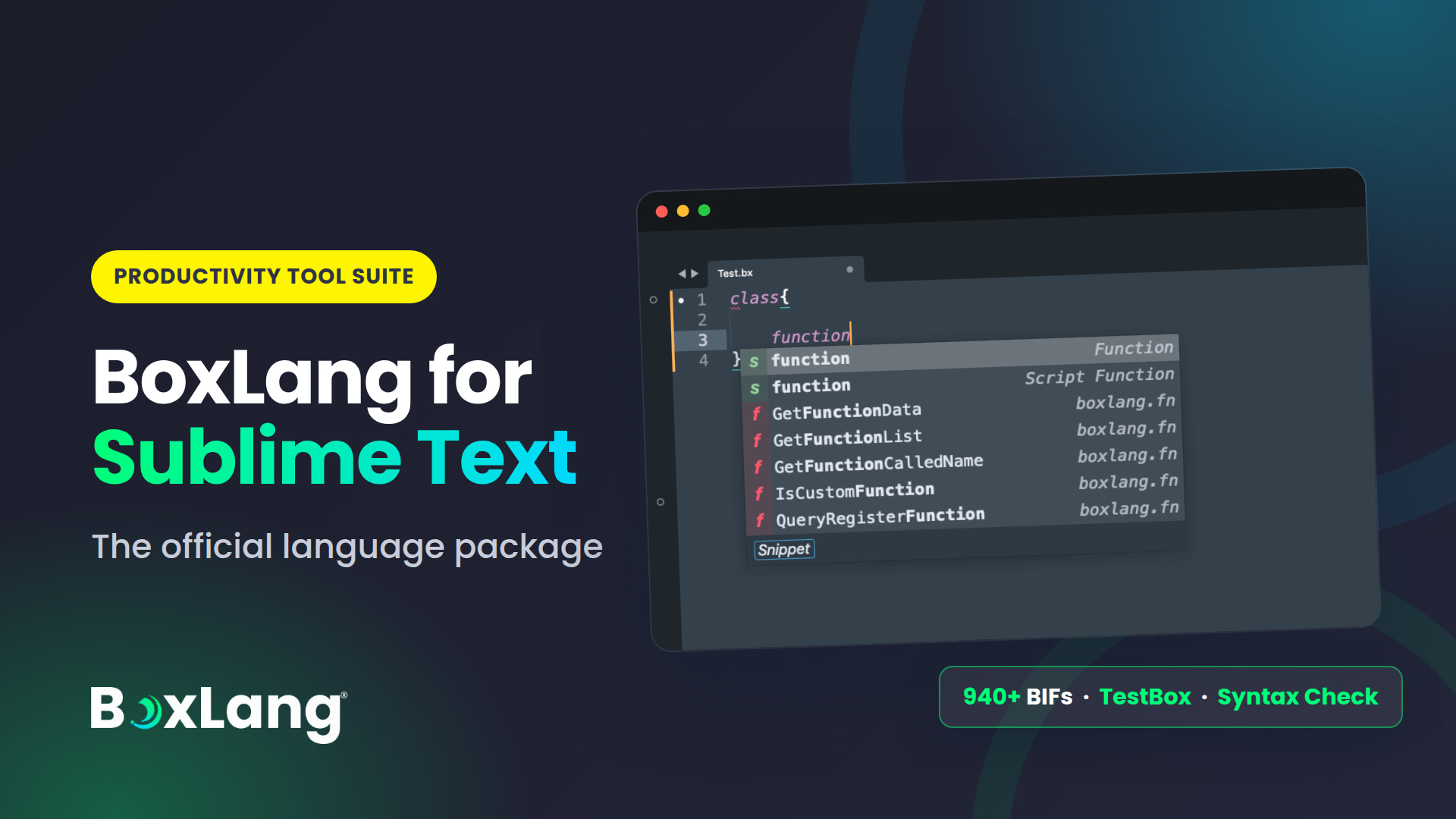
Ortus Solutions today announces the official release of the BoxLang package for Sublime Text 4, the newest member of the BoxLang productivity tool suite.
Sublime Text has always been about speed and focus. Now it also speaks BoxLang fluently: syntax highlighting, intelligent completions, inline documentation, syntax checking, formatting, build tools and a full TestBox runner, all inside the editor you already love.
Package Control: Install Package > BoxLang
That is the whole install. Open a .bx file and you are productive.

Part of the BoxLang productivity tool suite
BoxLang is the software productivity platform for building, modernizing and running applications, with developers and AI agents working together. A platform is only as productive as the tools around it, so we ship first-class support where you work.
The Sublime Text package joins our growing editor lineup. BoxLang is also supported in VS Code, Cursor, IntelliJ and more, so whichever editor your team standardizes on, BoxLang meets you there. Same language, same docs, your choice of tool.
This package is official, built and maintained by Ortus Solutions, and released under Apache 2.0.
What's in the box
Syntax highlighting for every BoxLang file type
.bx: script classes with full syntax support.bxs: script-only files.bxm: templates with embedded script blocks
Modern BoxLang constructs are covered too: range operators, assert with messages, set and StringBuilder literals, and two-variable for loops over arrays and structs.
Intelligent completions
| What | How many |
|---|---|
| Built-in functions (BIFs), core plus module | 940+ with parameter hints and snippet insertion |
bx: tags (components), core plus module | 86 with attribute completions |
| Member functions for native types | 370+ (string, array, struct, query, numeric, date, datetime, list, xml) |
On top of that you get:
- Type-aware completions based on inferred variable types, from literals,
newexpressions,createObject()calls, BIF return types and variable assignment tracing - Dot-path completions for
import,newandcreateObject() - Project-wide component indexing with inheritance resolution
Application.bxlifecycle completions and in-file function, variable and property completions
Completion data is generated straight from the official BoxLang docs, and covers the core runtime plus modules such as bx-jwt, bx-redis, bx-spreadsheet, bx-ldap, bx-csv, bx-couchbase, bx-meilisearch, bx-plus and more.

Documentation without leaving the editor
- F1 popup with full documentation and parameter references
- Hover docs for quick info under your mouse
- Completion docs with parameter hints as you type
- Go to Docs to jump straight to boxlang.ortusbooks.com
Syntax checking as you work
The package runs boxlang check to find errors without executing your code.
- On save by default, or while typing if you opt in
- Squiggles, gutter icons, inline error text, a hover popup and a full error panel
F4andShift+F4to jump between errors- Check Project to validate every file at once
TestBox, built in
Run tests from the Command Palette without switching to a terminal:
- Run Bundle for the current file
- Run Spec at Cursor for the
it(),test()orfunction testXxx()above your cursor, or the enclosingdescribe()suite - Run All Tests and Run Last
- Go to TestBox Spec or Suite to jump to any
describe(),it(),feature(),story()or xUnit test in the file, with live preview as you move through the list
Results land in a clickable output panel, and failing lines in open files get a squiggle, a gutter icon and an inline message. Tests run through TestBox's BoxLang runner by default, and teams with a web runner can opt in per project:
{
  "settings": {
    "boxlang_testbox": {
      "http_runner_url": "http://localhost:8080/tests/runner.bxm"
    }
  }
}


Build, compile, format
| Variant | Use |
|---|---|
| Run | Execute the current file |
| Run with Arguments | Execute with CLI args |
| Run with Debug | Run with debug output |
| Compile File / Project | Compile to ./bin |
| Check Syntax / Check Project | Validate without running |
| Feature Audit | Audit CFML to BoxLang compatibility |
Format your code with Shift+Alt+F (Shift+Option+F on macOS), powered by the boxlang format CLI, or turn on format on save.
Navigation and snippets
- Goto Symbol lists classes (including inner and local classes) and functions, in both script and tag form
- Go to Definition with
Ctrl+Click(Cmd+Clickon macOS) - Go to Property lists every
propertydeclaration in a file - Controller/view toggle with
Ctrl+F1 - 19 snippets, including
bxclass,bxtest,bxtry,bxset,bxrange,bxtransformer,bxschedulerandbxtask
Know exactly which BoxLang you are running
BoxLang: Show Version Info re-detects your install and tells you what Sublime Text is using, whether you installed through BVM, Homebrew, the quick installer or the Windows installer:
BoxLang Version Info
============================================================
Version      : 1.18.0+1
Executable   : /Users/you/.local/bin/boxlang
Source       : Quick installer (user)
Features     : syntax check available
BOXLANG_HOME : /Users/you/.boxlang (default, variable not set)

Project      : /Users/you/work/app
  .boxlang.json : not found

Upgrade      : install-boxlang --check-update
If you use BVM, the status bar even warns you when your project's .bvmrc does not match the active version.
Screenshot gallery
Context-aware completions
Inline documentation

Syntax diagnostics

Build variants
TestBox results
TestBox spec navigation
Under the hood
We did not bolt on regex highlighting and call it a day.
- AST-based parsing for
.bxand.bxsfiles, using the BoxLang CLI itself, so the editor understands your code the way the runtime does - A flexible tag parser for
.bxmtemplates - A pluggable architecture for completions, docs, classes, dot paths, type completions and lifecycle methods
- Medium-depth type inference that stays fast and predictable
- A real test suite: 363 tests, run in CI on Python 3.11, 3.12 and 3.13
The architecture draws inspiration from the excellent sublimetext-cfml package, reimagined and rebuilt from the ground up for BoxLang.
Get started
Requirements
| Dependency | Version |
|---|---|
| Sublime Text | 4 (Build 4180+) |
| BoxLang | 1.17.0+ |
| Python | 3.11+ (bundled with Sublime Text) |
Syntax highlighting works without BoxLang installed. The full feature set needs the BoxLang CLI available on your PATH.
Install
- Open the Command Palette (
Cmd+Shift+PorCtrl+Shift+P) - Select
Package Control: Install Package - Search for
BoxLangand press Enter
On first launch a setup wizard detects BoxLang, optionally enables CFML file handling (.cfc, .cfm, .cfs) and shows you the essential shortcuts. Re-run it anytime with BoxLang: Run Setup Wizard.
Pin a specific BoxLang if you have more than one install, in Preferences: BoxLang Settings:
{ "boxlang_executable_path": "/Users/you/.local/bin/boxlang" }
Open source, and we want your feedback
The package is Apache 2.0 licensed and lives on GitHub. Try it, star it, file issues and send pull requests. Contribution guidelines and the full settings reference are in the repo.
Resources
- Source: github.com/ortus-boxlang/sublimetext-boxlang
- BoxLang: boxlang.io | BoxLang docs
- Professional support and consulting: ortussolutions.com/services
Install it, open a .bx file, and write BoxLang at the speed of Sublime.



Add Your Comment