
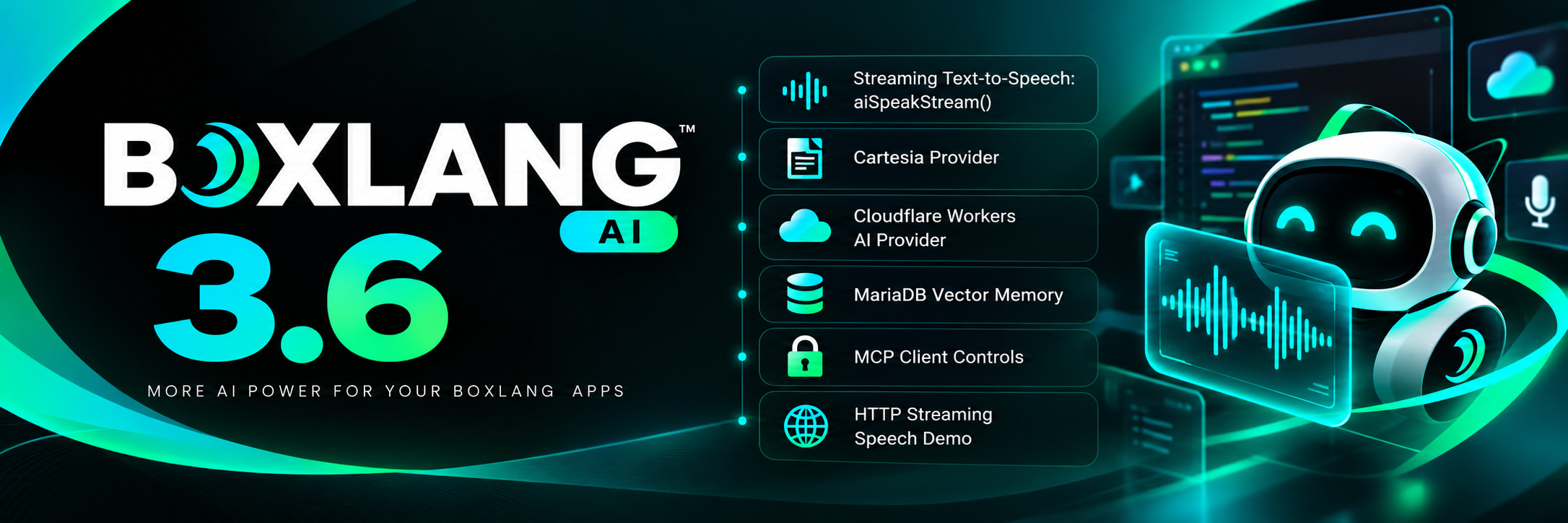
Ortus Solutions today announces BoxLang AI 3.6, the release that connects the AI framework to the rest of the BoxLang productivity platform. Your agents can now drive a real browser via bx-playwright, speak and master audio via bx-audio, stream text-to-speech token by token, talk to any MCP server over stdio — and do all of it with the same fluent BoxLang syntax they always have.
install-bx-module bx-ai
The productivity platform grows up
BoxLang is the software productivity platform for building, modernizing and running applications with developers and AI agents working together. Every piece of the platform is designed to connect, and 3.6 is the release where the connections becomes even tighter.
Two major modules launched alongside 3.6:
- bx-playwright 1.0 — real browser automation and testing for BoxLang, powered by Microsoft Playwright. Drive Chromium, Firefox and WebKit, test full user journeys, and give your agents a live browser to verify the applications they build.
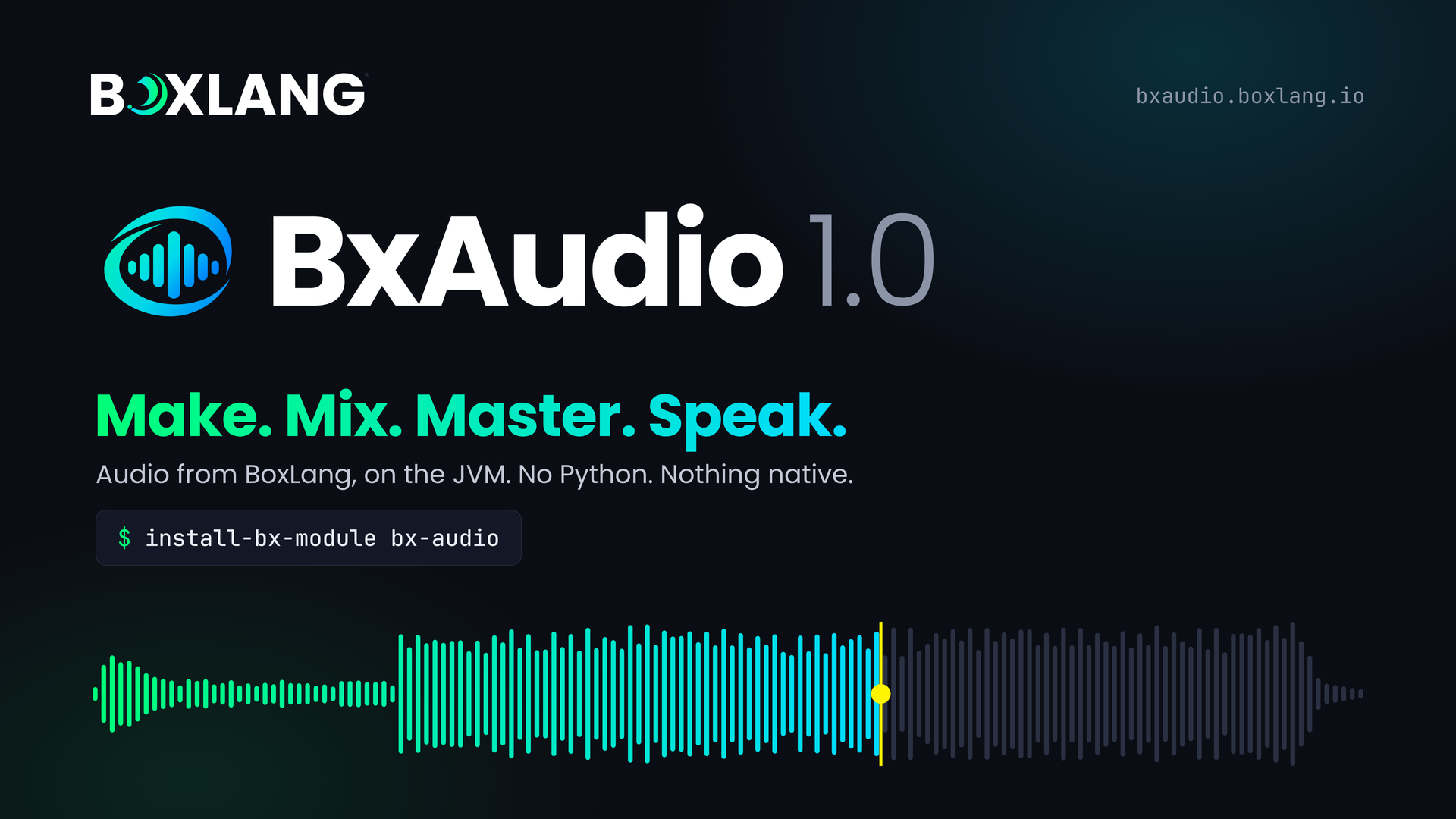
- bx-audio 1.0 — 83 audio functions on the JVM: synthesis, mixing, mastering, speech, video scoring, game audio and analysis. Nothing native to install.
BoxLang AI 3.6 wires both of them into the agent framework. Here is what that means in practice.
Agents get eyes: bx-playwright over stdio
bx-playwright ships an MCP server you start with one command:
bxplaywright mcp --headless
BoxLang AI 3.6 adds a stdio MCP client that launches any MCP server as a child process and speaks to it over stdin and stdout — no HTTP server to configure, no port to manage. Wire bx-playwright straight into an agent:
agent = aiAgent(
    name        : "QAAgent",
    description : "Verifies that UI changes work correctly in a real browser.",
    instructions: "
        Use the browser tools to navigate, interact, and assert.
        Take a screenshot whenever you find something unexpected.
        Report findings clearly with the page URL and element details.
    ",
    mcpServers  : [
        MCP( { command: [ "bxplaywright", "mcp", "--headless" ] } )
    ]
)

result = agent.run( "Log in as test@example.com, go to the dashboard, and confirm the revenue chart loads." )
println( result )
The agent discovers browser_visit, browser_snapshot, browser_click, browser_fill, browser_screenshot and the rest automatically via listTools(). It can build a login page and immediately open it, click through it like a user, and prove it works — all in one run.
This is the missing piece: build, run, browse, assert, fix — native to BoxLang, on the JVM, with no JavaScript test project bolted on the side.
How the stdio client works
The process starts on the first tool call. BoxLang AI handles the MCP initialize handshake, version negotiation, and keep-alive. One background thread reads stdout and routes each JSON-RPC response back to the caller waiting on its id, so multiple tool calls can share one server. A dead server restarts automatically up to maxRestarts times. When the module unloads or the JVM shuts down, open clients are closed cleanly.
// Any MCP server, any command — not just bx-playwright
agent = aiAgent(
    name      : "DataAgent",
    mcpServers: [
        MCP( { command: [ "npx", "-y", "@modelcontextprotocol/server-filesystem", "/data" ] } ),
        MCP( { command: [ "bxplaywright", "mcp", "--headless" ] } )
    ]
)
Security is built in. The module setting mcp.stdio.allowedCommands limits which executables can be launched. An empty array (the default) allows any — set an explicit list in production to lock it down. No shell is ever used; the command is always an array, so shell injection is structurally impossible.
Agents get a voice: bx-audio and streaming speech
bx-audio registers 26 audio tools in the global tool registry at name@bxaudio the moment the module loads. Any BoxLang AI agent can use them immediately:
agent = aiAgent(
    name  : "StudioAgent",
    description: "Audio production assistant. Can inspect, edit, master and create audio files.",
    tools : [
        "audioInfo@bxaudio",
        "audioTrim@bxaudio",
        "audioNormalize@bxaudio",
        "audioMaster@bxaudio",
        "audioSpeak@bxaudio"
    ]
)

agent.run( "Load intro.wav, trim the first 3 seconds of silence, normalize to -14 LUFS and save as intro-clean.wav" )
Or give an agent the whole studio:
agent = aiAgent(
    name  : "FullStudio",
    tools : aiToolRegistry().getByModule( "bxaudio" )
)
Safety is built in from the bx-audio side: every path is validated against ai.allowedPaths, symlinks and ../ cannot escape them, and a tool never overwrites an existing file or its own input.
Streaming text-to-speech: aiSpeakStream()
3.6 adds aiSpeakStream() — a new BIF backed by the IAiSpeechStreamService interface and the speechStream provider capability. Audio streams chunk by chunk as it is generated, so you can relay it to a browser, a game, or a voice interface in real time without waiting for the full render:
aiSpeakStream(
    "Welcome to the BoxLang productivity platform.",
    ( chunk ) => {
        if ( chunk.type == "audio" ) {
            // relay chunk.data (binary) to the client as it arrives
            writeOutput( chunk.data )
            bx:flush;
        }
        if ( chunk.type == "done" ) {
            println( "Streamed #chunk.bytes# bytes in #chunk.chunks# chunks" )
        }
    },
    params  : { voice: "nova" },
    options : { provider: "openai" }
)
The callback receives typed events: { type: "audio", data, format, sampleRate, sequence }, { type: "timestamps", ... } and a final { type: "done", chunks, bytes }. Return false from the callback to stop early. Supported today by OpenAI, ElevenLabs, Cartesia, Mistral and Gemini.
Or use the fluent builder:
aiSpeak()
    .text( "Hello from BoxLang AI." )
    .provider( "cartesia" )
    .asMP3()
    .stream( chunk => writeOutput( chunk.data ) )
Cartesia: a new audio provider
3.6 adds Cartesia as a fully supported provider for text-to-speech and transcription. Set CARTESIA_API_KEY and use it anywhere aiSpeak() or aiSpeakStream() is called:
{
    "modules": {
        "bxai": {
            "settings": {
                "provider": "cartesia",
                "apiKey": "${Setting: CARTESIA_API_KEY not found}"
            }
        }
    }
}
Cartesia supports mp3, wav, pcm, mulaw and alaw output, with word timestamps on the streaming path.
MCP stdio: any server, any tool, any language
The stdio client is not limited to bx-playwright. Any MCP server that speaks the stdio transport works — Node.js servers via npx, Python servers via uvx, or your own BoxLang MCP server:
// Node.js filesystem server
agent = aiAgent(
    mcpServers: [
        MCP( { command: [ "npx", "-y", "@modelcontextprotocol/server-filesystem", "/workspace" ] } )
    ]
)

// Python server
agent = aiAgent(
    mcpServers: [
        MCP( { command: [ "uvx", "mcp-server-git", "--repository", "/repos/my-project" ] } )
    ]
)

// BoxLang MCP server
agent = aiAgent(
    mcpServers: [
        MCP( { command: [ "boxlang", "my-tools-server.bxs" ] } )
    ]
)
The MCP() BIF now returns an IMCPClient — either an MCPHttpClient (existing) or the new MCPStdioClient. Code using the BIF works unchanged. Code that constructed MCPClient directly must migrate to MCP( url ).
Paged tool discovery
The HTTP client gains listTools( cursor ) to read tools from servers that page their listings — the new client reads page by page (up to five pages, 100 tools) automatically:
client = MCP( "http://my-mcp-server:3000" )
tools  = client.listTools()     // reads all pages automatically
println( tools.len() & " tools discovered" )
MariaDB vector memory
3.6 adds MariaDBVectorMemory — vector storage and semantic search on MariaDB 11.7+ using the native VECTOR(n) type, an HNSW index, and VEC_DISTANCE_COSINE / VEC_DISTANCE_EUCLIDEAN functions. Ranking runs in the database. Requires the bx-mariadb module.
memory = aiMemory( "mariadb", config: {
    collection : "knowledge_base",
    dimensions : 1536,
    metric     : "COSINE",
    autoCreate : true
} )

agent = aiAgent(
    name        : "SupportBot",
    description : "Customer support agent grounded in the knowledge base.",
    memory      : memory
)
MariaDB joins ChromaDB, Pinecone, PostgreSQL, OpenSearch, MySQL and the rest of the vector memory lineup. Pick the one that fits your infrastructure — your agent code stays the same.
What else is in 3.6
Normalized reasoning across all providers. Every reasoning-capable model (Claude extended thinking, OpenAI reasoning effort, DeepSeek, Ollama) now surfaces its thinking on the same key — choices[].delta.reasoning when streaming, choices[].message.reasoning synchronously — regardless of what the provider calls it on the wire. Your code never branches on provider. Reasoning is never folded into memory or relayed back to the model.
Default models updated. OpenAI bumps to gpt-5.6-luna, Claude to claude-sonnet-5, Groq moves from the deprecated llama-3.1-8b-instant to openai/gpt-oss-20b.
Default timeout raised to 90 seconds. The previous 45s was too tight for slower providers under load and produced confusing JSON parse errors instead of clear timeout errors. Still overridable per-request or per-provider.
${Setting: context not found} is now auto-fenced by default. Any content you pass via options.context or ${Setting: context not found} is wrapped in tamper-resistant boundary markers automatically. This protects against indirect prompt injection — an attacker hiding instructions in a knowledge base doc or web page your agent retrieves. No configuration needed; opt out per message with aiMessage().setContextTrust( true ).
OutputGuardMiddleware now covers reasoning. Secrets and PII are redacted from the model's thinking as well as its answer, before either reaches your application.
The platform, piece by piece
┌──────────────────────────────────────────────────────────────────┐
│               BoxLang Productivity Platform                      │
│                                                                  │
│  ┌─────────────┐   ┌──────────────┐   ┌─────────────────────┐   │
│  │  bx-audio   │   │ bx-playwright│   │  BoxLang AI 3.6     │   │
│  │  83 audio   │   │  Real browser│   │  Agents · MCP ·     │   │
│  │  functions  │◄──│  automation  │◄──│  Memory · RAG ·     │   │
│  │  26 AI tools│   │  MCP server  │   │  Streaming · Skills │   │
│  └─────────────┘   └──────────────┘   └─────────────────────┘   │
│         │                  │                      │               │
│         └──────────────────┴──────────────────────┘              │
│                            │                                      │
│              ┌─────────────▼─────────────┐                       │
│              │         BoxLang           │                       │
│              │   Modern JVM Language     │                       │
│              └───────────────────────────┘                       │
└──────────────────────────────────────────────────────────────────┘
Your agent used to reason about text and call data APIs. With 3.6 it can also open a browser and click through a UI, speak a response out loud, master an audio file, compose a soundtrack, and do all of it through the same tool-calling mechanism it already uses. The platform handles the wiring. You write the domain logic.
Get started
Requirements: BoxLang 1.18+, Java 21+.
# Install BoxLang AI
install-bx-module bx-ai --local

# Add browser automation
install-bx-module bx-playwright --local
bxplaywright install    # downloads driver + browsers

# Add audio
install-bx-module bx-audio --local
bx-audio doctor        # verifies setup

# Wire them together
agent = aiAgent(
    name      : "FullStackAgent",
    mcpServers: [ MCP( { command: [ "bxplaywright", "mcp", "--headless" ] } ) ],
    tools     : aiToolRegistry().getByModule( "bxaudio" )
)
Full setup in the BoxLang AI docs and the AI BootCamp.
Resources
- 📖 BoxLang AI Documentation | Release History
- 🎭 bx-playwright 1.0 announcement | bxplaywright.boxlang.io
- 🎵 bx-audio 1.0 announcement | bxaudio.boxlang.io
- 🐙 BoxLang AI GitHub
- 🎓 AI BootCamp
- 📦 ForgeBox
- 💬 Community Slack
- 💼 BoxLang+ Plans
Your agents can write the code, browse the app, speak the result, and score it. 🎙️


Add Your Comment