
You launch your BoxLang application, traffic flows, schedulers execute, caches warm, threads spin. And when something goes wrong, you jump between logs, dashboards, admin panels, and monitoring tools to piece together the full picture. Meanwhile, your AI coding assistant only understands your source code. It has no visibility into your running application. It cannot tell you why your thread pool is saturated, whether cache performance is degrading, or which scheduled task silently failed overnight.
That changes now. Again. But bigger.
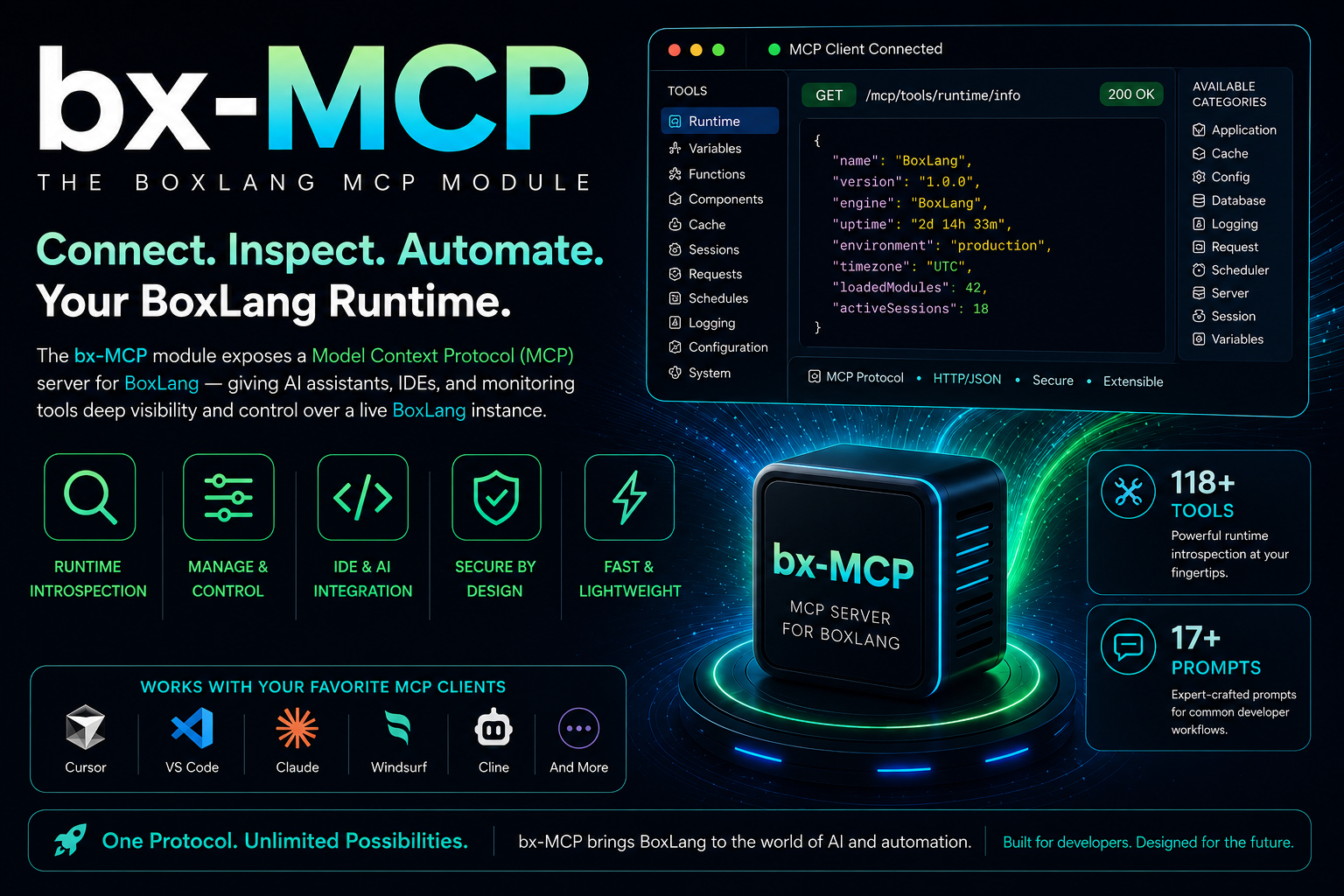
Today we are unveiling bx-mcp to the world: the new way to administer a BoxLang application server. Point any MCP-compatible AI client at your running server and get live, conversational access to every subsystem: querying, diagnosing, and operating your application in real time. No dashboards. No SSH. No grepping logs.
We are shipping big. 154 tools across 17 domains, 32 pre-built AI diagnostic prompts, structured health scoring, slow collector pipelines, per-token access control, and full incident response workflows. Let's walk through what you are getting.
⚡️ What Is bx-mcp?
bx-mcp is a BoxLang+ module that embeds a full Model Context Protocol (MCP) server directly into your running BoxLang runtime. It exposes an HTTP endpoint that any MCP-compatible AI client can connect to, including Claude Desktop, Cursor, VS Code Copilot, and more.
box install bx-mcp
Once installed, your MCP server is live at:
http://localhost:8080/~bxmcp/boxlang.bxm
Connect your AI client with a single config block:
{
    "mcpServers": {
        "boxlang": {
            "url": "http://localhost:8080/~bxmcp/boxlang.bxm",
            "headers": {
                "Authorization": "Bearer your-auth-token"
            }
        }
    }
}
From that moment, your AI can query, diagnose, and act on your live application. Here is the full picture of how it fits together:
┌─────────────────────────────────────────────────────────────────┐
│                        MCP Clients                              │
│   Claude Desktop  │  VS Code Copilot  │  Cursor  │  curl       │
└───────────────────────────┬─────────────────────────────────────┘
                            │  JSON-RPC 2.0 over HTTP
                            ▼
┌─────────────────────────────────────────────────────────────────┐
│              bx-mcp  (/~bxmcp/boxlang.bxm)                      │
│  ┌──────────────┐  ┌──────────────┐  ┌──────────────────────┐  │
│  │  154 Tools   │  │  32 Prompts  │  │  Auth & IP Allowlist  │  │
│  └──────────────┘  └──────────────┘  └──────────────────────┘  │
└───────────────────────────┬─────────────────────────────────────┘
                            │
        ┌───────────────────┼──────────────────────┐
        ▼                   ▼                       ▼
┌──────────────┐   ┌──────────────────┐   ┌────────────────────┐
│  JVM / OS    │   │  Data Layer      │   │  App Runtime       │
│  Memory      │   │  Caches          │   │  Schedulers        │
│  Threads     │   │  Datasources     │   │  Modules           │
│  GC / CPU    │   │  Slow SQL        │   │  Interceptors      │
│  Heap Dumps  │   │  Slow HTTP       │   │  Applications      │
│  Deadlocks   │   │  Route Metrics   │   │  File Watchers     │
└──────────────┘   └──────────────────┘   └────────────────────┘
See the Quick Start guide and Client Configuration docs for VS Code, Claude Desktop, and Cursor-specific setups.
🛠️ 154 Tools Across 17 Runtime Domains
We added five entirely new domains since the first release, and expanded every existing one. Here is the full picture:
| Domain | Tools | Highlights |
|---|---|---|
| 🔧 Runtime & Config | 16 | Version info, config diff vs disk, BIF/component search, debug toggle, class cache management |
| ☕ JVM Diagnostics | 18 | Hot threads, top allocators, deadlock detection, heap dumps, file descriptors, disk usage |
| 💾 Cache Management | 14 | Hit rates, evictions, key inspection, health scoring, clear/reap operations |
| 🗄️ Datasources | 9 | Pool metrics, connectivity tests, latency histograms (p50/p95/p99), health scoring |
| 🆕 🔍 SQL Diagnostics | 5 | Slow query capture, aggregate stats by SQL pattern, runtime config updates |
| 🆕 🌐 HTTP/SOAP Diagnostics | 5 | Slow outbound call capture, stats by destination host, runtime config |
| 🆕 📥 Request Diagnostics | 5 | Slow inbound request capture, stack snapshots, runtime config |
| 🆕 🛣️ Route Metrics | 6 | Per-route p99, error rates, top-5 slowest, normalize path params |
| 🆕 📸 Performance Snapshot | 1 | Single-call snapshot of memory, GC, CPU, threads, top executors, slow queries, slow requests, slow HTTP, health report |
| 🆕 🏥 System Health Aggregator | 1 | Unified health across ALL subsystems in one call |
| ⚙️ Async Executors | 6 | Pool utilization, queue depth, saturation alerts, health scoring |
| 📅 Schedulers | 17 | Force-run, pause/resume, persisted task management, execution history |
| 📦 Modules | 9 | Registered modules, settings, reload individual or all |
| 🎯 Interceptors | 5 | Interception points, listener counts, event coverage |
| 🌍 Applications | 7 | Active apps, session counts, uptime, restart, clear sessions |
| 📝 Logging | 10 | Logger config, log search, last error retrieval, write test messages |
| 👁️ File Watchers | 10 | Watcher registry, stats, start/stop/restart/remove |
| 🌐 Web Server (Undertow) | 2 | Worker pool saturation, IO pool, listener stats, WebSocket connections |
| 🔌 HTTP Clients | 6 | Active client stats, SOAP client usage, executor pool status |
See the full MCP Tools reference for detailed signatures on every tool.
🤖 32 Pre-Built AI Diagnostic Prompts
Tools give your AI the ability to query. Prompts give it the intelligence to reason. Each prompt is a pre-wired diagnostic workflow that instructs your AI which tools to call, in what order, and how to interpret results. No prompt engineering needed.
Operations & Monitoring
runtime_health_check- Memory, caches, datasources, executors, modulesfull_system_audit- End-to-end audit of every subsystemperformance_troubleshooting- Interactive guide for slow responses, high memory, CPU spikes, thread exhaustiondiagnose_memory_pressure- Heap, non-heap, pools, GC; identifies leaks and misconfigsexecutor_saturation_check- Pool saturation, queue buildup, rejected tasksdeployment_validation- Confirms a deployment started cleanly and is healthy
Data Layer
analyze_cache_performance- Hit rates, eviction patterns, sizing recommendationsdatasource_health_report- Connectivity, pool utilization, config auditslow_sql_diagnosis- Patterns, datasource hotspots, tuning recommendationsslow_http_diagnosis- Destination host hotspots, error-prone integrations, timeout tuning
🆕 Incident Response
This is the headline addition. Five dedicated workflows for when things go wrong:
┌─────────────────────────────────────────────────────────┐
│               Incident Response Prompts                 │
│                                                         │
│  incident_triage       ──▶  "What is broken RIGHT NOW?" │
│  error_spike_response  ──▶  "Correlate + contain"       │
│  cascade_failure       ──▶  "Trace the failure chain"   │
│  rollback_decision     ──▶  "Go / No-Go vs baseline"    │
│  post_incident_review  ──▶  "Timeline + root cause"     │
└─────────────────────────────────────────────────────────┘
incident_triage- Rapid scan of errors, threads, memory, web server, datasources, and executorserror_spike_response- Correlate timing, identify blast radius, recommend containmentcascade_failure_diagnosis- Trace failure chains across subsystems (datasource timeout → thread saturation → request queuing)rollback_decision- Structured go/no-go comparison of current state vs deployment baselinepost_incident_review- Collect timeline, identify impact, determine root cause, generate improvement actions
Web Server & Routing (New)
web_server_diagnostics- Undertow worker pool, IO pool, active/queued requests, WebSocket connectionsslow_request_analysis- Correlates captured samples with per-route metricsroute_performance_analysis- Slowest endpoints, error rates, optimization backlog
See Operations & Monitoring, Data Layer Diagnostics, and Incident Response docs for the full prompt catalog.
🏥 Structured Health Reports
Every health tool now returns a consistent, machine-readable report your AI can reason about programmatically. One score, ranked issues with codes, and actionable suggestions.
┌──────────────────────────────────────────────────────────────────┐
│  system_get_health  ──  single call, all subsystems              │
│                                                                  │
│  overall status: "warning"    score: 65 / 100                    │
│                                                                  │
│  subsystems:                                                     │
│  ├─ datasources   ████████████████████  100  healthy             │
│  ├─ caches        ████████████████░░░░   85  warning             │
│  ├─ executors     █████████████░░░░░░░   65  warning             │
│  ├─ schedulers    ████████████████████  100  healthy             │
│  ├─ watchers      ████████████████████  100  healthy             │
│  └─ webServer     ████████████████████  100  healthy             │
│                                                                  │
│  issues:                                                         │
│  ⚠  executors:EXECUTOR_DEGRADED  (-25)                          │
│  ⚠  caches:CACHE_LOW_HIT_RATE    (-15)                          │
└──────────────────────────────────────────────────────────────────┘
The scoring model is simple and consistent:
| Severity | Penalty | Score Range |
|---|---|---|
| healthy | none | 80 - 100 |
| warning | 25 per issue | 50 - 79 |
| critical | 50 per issue | 0 - 49 |
| info | 5 per issue | no status change |
The system_get_health aggregator calls every subsystem in a single round-trip and uses a weakest-link model - your overall score is the minimum subsystem score. Issue codes are prefixed by subsystem (e.g. executors:EXECUTOR_DEGRADED) so your AI can filter, prioritize, and act.
See the Health Reports reference for the full issue code catalog.
🔬 Slow Collectors: Unified Observability
One of the most impactful additions is the slow collector pipeline - three interceptors that capture and buffer slow operations across your entire stack at runtime:
┌──────────────────────────────────────────────────────────────────┐
│                    Slow Collector Pipeline                       │
│                                                                  │
│  Inbound Requests                                                │
│  ────────────────  slowRequests interceptor                      │
│  GET /api/users/search  892ms  ──▶  captured in ring buffer      │
│                                                                  │
│  Outbound SQL                                                    │
│  ──────────────  slowSQL (SlowJDBCCollector) interceptor         │
│  SELECT * FROM logs WHERE ...  1240ms  ──▶  captured + rendered  │
│                                                                  │
│  Outbound HTTP / SOAP                                            │
│  ──────────────────────  slowHttp interceptor                    │
│  POST https://api.stripe.com  1850ms  ──▶  captured              │
│                                                                  │
│  All buffers queryable via MCP tools at any time                 │
└──────────────────────────────────────────────────────────────────┘
All three are configurable independently in boxlang.json:
{
    "modules": {
        "bxmcp": {
            "settings": {
                "slowSQL": {
                    "enabled": true,
                    "slowQueryThresholdMs": 1000,
                    "slowQueryBufferSize": 200,
                    "slowQueryCapture": true
                },
                "slowRequests": {
                    "enabled": true,
                    "slowRequestThresholdMs": 1000,
                    "slowRequestBufferSize": 200,
                    "slowRequestCaptureStack": false
                },
                "slowHttp": {
                    "enabled": true,
                    "slowHttpThresholdMs": 1000,
                    "slowHttpBufferSize": 200,
                    "slowHttpCaptureBody": false
                }
            }
        }
    }
}
Thresholds and buffer sizes can also be updated at runtime via MCP tools without a restart. Ask your AI: "Show me all SQL queries over 500ms in the last 10 minutes grouped by pattern" and it will query the sql_get_query_stats tool and reason over the results.
🔒 Security: Simple Token or Full Role-Based Access
Security has two shapes, from dead simple to fully granular. See the Security & Access Control docs for the full reference.
Shape 1: Simple Token
One token, full access. Zero ceremony.
{
    "modules": {
        "bxmcp": {
            "settings": {
                "authToken": "my-secret-token",
                "allowedIPs": [ "127.0.0.1" ]
            }
        }
    }
}
Shape 2: Per-Token Role-Based Filtering
Multiple tokens, each with its own tool whitelist and blacklist. Glob patterns supported.
{
    "modules": {
        "bxmcp": {
            "settings": {
                "authToken": [
                    {
                        "token": "admin-token",
                        "includedTools": [ "*" ],
                        "excludedTools": []
                    },
                    {
                        "token": "readonly-token",
                        "includedTools": [ "runtime_get_info", "jvm_get_memory_info", "module_get_all" ],
                        "excludedTools": []
                    },
                    {
                        "token": "ops-token",
                        "includedTools": [ "*" ],
                        "excludedTools": [ "jvm_trigger_gc", "cache_clear_all", "module_reload_all" ]
                    },
                    {
                        "token": "jvm-readonly-token",
                        "includedTools": [ "jvm*", "runtime_get_info" ],
                        "excludedTools": []
                    }
                ]
            }
        }
    }
}
You can give your AI coding assistant a read-only token, your ops team a token that can manage schedulers and caches but not reload modules, and your admin token the full surface. Each token sees only the tools it is authorized to use - the tools/list response itself is filtered per token.
Glob pattern examples:
| Pattern | Matches |
|---|---|
"*" | All tools |
"jvm*" | All JVM diagnostic tools |
"cache_get*" | cache_get_all, cache_get_stats, cache_get_keys, ... |
"*_health*" | Any health tool across any domain |
Shape 3: Security Profiles
When you have many tokens sharing the same access policy, repeating includedTools/excludedTools on every entry gets messy fast. Security profiles let you define named, reusable access policies once and reference them from any token via the profile field.
Two built-in profiles are always available:
| Profile | Access |
|---|---|
admin | Full access to every tool |
readonly | All *_get*, *_has*, *_search*, *_read* tools. Inspect everything, mutate nothing. |
You can override these or define your own in securityProfiles:
{
    "modules": {
        "bxmcp": {
            "settings": {
                "securityProfiles": {
                    "operator": {
                        "includedTools": [ "*_get*", "*_has*", "module_reload*", "scheduler_*" ],
                        "excludedTools": [ "app_stop", "runtime_toggle_debug_mode" ]
                    },
                    "jvm-only": {
                        "includedTools": [ "jvm*", "runtime_get_info" ],
                        "excludedTools": [ "jvm_trigger_gc", "jvm_trigger_heap_dump" ]
                    }
                },
                "authToken": [
                    { "token": "admin-token",    "profile": "admin" },
                    { "token": "readonly-token", "profile": "readonly" },
                    { "token": "operator-token", "profile": "operator" },
                    {
                        "token": "restricted-ops-token",
                        "profile": "operator",
                        "excludedTools": [ "module_reload_all", "scheduler_run_task" ]
                    }
                ]
            }
        }
    }
}
The inheritance rules are straightforward:
┌──────────────────────────────────────────────────────────────┐
│  Profile Resolution Order                                    │
│                                                              │
│  1. Load profile's includedTools + excludedTools             │
│  2. Token's own includedTools  ──▶  overrides profile        │
│  3. Token's own excludedTools  ──▶  merged with profile      │
│  4. Apply whitelist → blacklist filtering                    │
└──────────────────────────────────────────────────────────────┘
Token tools/list responses are always filtered to what that token can see, so each AI client only sees the tools it is authorized to call.
🔧 Extending with Your Own Tools
Any module or application can register custom MCP tools directly into the running server. The mcpServer( "boxlang" ) BIF gives you the live server instance.
// Register a custom tool at application startup
mcpServer( "boxlang" )
    .registerTool(
        aiTool(
            "check_deployment_status",
            "Check the current deployment status of the application",
            ( environment ) => {
                var status = deploymentService.getStatus( arguments.environment )
                return {
                    environment : arguments.environment,
                    version     : status.version,
                    deployedAt  : status.deployedAt.toString(),
                    healthy     : status.healthy,
                    summary     : "Deployment #status.version# is #status.healthy ? 'healthy' : 'unhealthy'# in #arguments.environment#"
                }
            }
        )
        .addParameter(
            aiToolParam( "environment", "string", "The deployment environment: staging or production" )
            .required()
        )
    )
You can also scan a class for @mcpTool annotated methods, register custom prompts, or bulk-register tool arrays. The MCP server is a first-class extensibility point. See Extending with Custom Tools for full patterns.
🚀 Where to Start
Requirements:
- BoxLang 1.12+
bx-plusandbx-aimodules- A BoxLang+ subscription (boxlang.io/plans)
Install:
box install bx-plus,bx-ai,bx-mcp
Minimal config in boxlang.json:
{
    "modules": {
        "bxmcp": {
            "settings": {
                "authToken" : "FILL_THIS_OUT_ALWAYS",
                "allowedIPs": [ "127.0.0.1" ]
            }
        }
    }
}
Test it:
curl -s http://localhost:8080/~bxmcp/boxlang.bxm \
  -H "Content-Type: application/json" \
  -H "Authorization: Bearer FILL_THIS_OUT_ALWAYS" \
  -d '{"jsonrpc":"2.0","method":"tools/call","params":{"name":"system_get_health","arguments":{}},"id":"1"}' \
  | jq '.result.content[0].text | fromjson'
Then ask your AI: "My app is slow under load. What is happening?" and watch it correlate threads, pools, caches, and SQL in a single conversation.
📚 Resources
- 📦 Install:
box install bx-plus,bx-ai,bx-mcp - 🚀 Quick Start: boxlang.ortusbooks.com/boxlang-+-++/modules/bx-mcp/quick-start
- 🔌 Client Configuration: boxlang.ortusbooks.com/boxlang-+-++/modules/bx-mcp/client-configuration
- 🔒 Security & Access Control: boxlang.ortusbooks.com/boxlang-+-++/modules/bx-mcp/security-and-access-control
- 📖 Full Reference: boxlang.ortusbooks.com/boxlang-+-++/modules/bx-mcp/reference
- 💬 Community: community.ortussolutions.com
- 💼 Slack: boxteam.ortussolutions.com
- 🐛 Bug Reports: JIRA
- 💳 Subscription Plans: boxlang.io/plans
- 📧 Questions: info@boxlang.io
"I am the way, and the truth, and the life." - Jn 14:6



Add Your Comment