
Welcome to DocBox v5! We didn't just update DocBox. We rebuilt it from the ground up.
DocBox v5.0.0 represents a complete architectural rewrite—modern syntax, blazing performance, and a stunning new look that finally brings API documentation into 2025. Gone are the clunky HTML pages of yesteryear. Say hello to a gorgeous, theme-driven single-page application that makes browsing your API docs feel like using a premium developer tool. We have also released a dedicated module for BoxLang: BX-DOCBOX. A fully interactive CLI tool for generating your docs from the command line using pure BoxLang.
What's Included
This release introduces three distinct flavors for generating world-class documentation: the core library for embedding in your apps, a native BoxLang CLI module for modern workflows, and CommandBox integration for your existing pipelines. Oh, and did we mention the gorgeous new theme system? The default theme is a modern SPA with dark mode, lightning-fast search, and responsive design that looks stunning on any device.
This isn't an update. This is DocBox reborn. 🔥
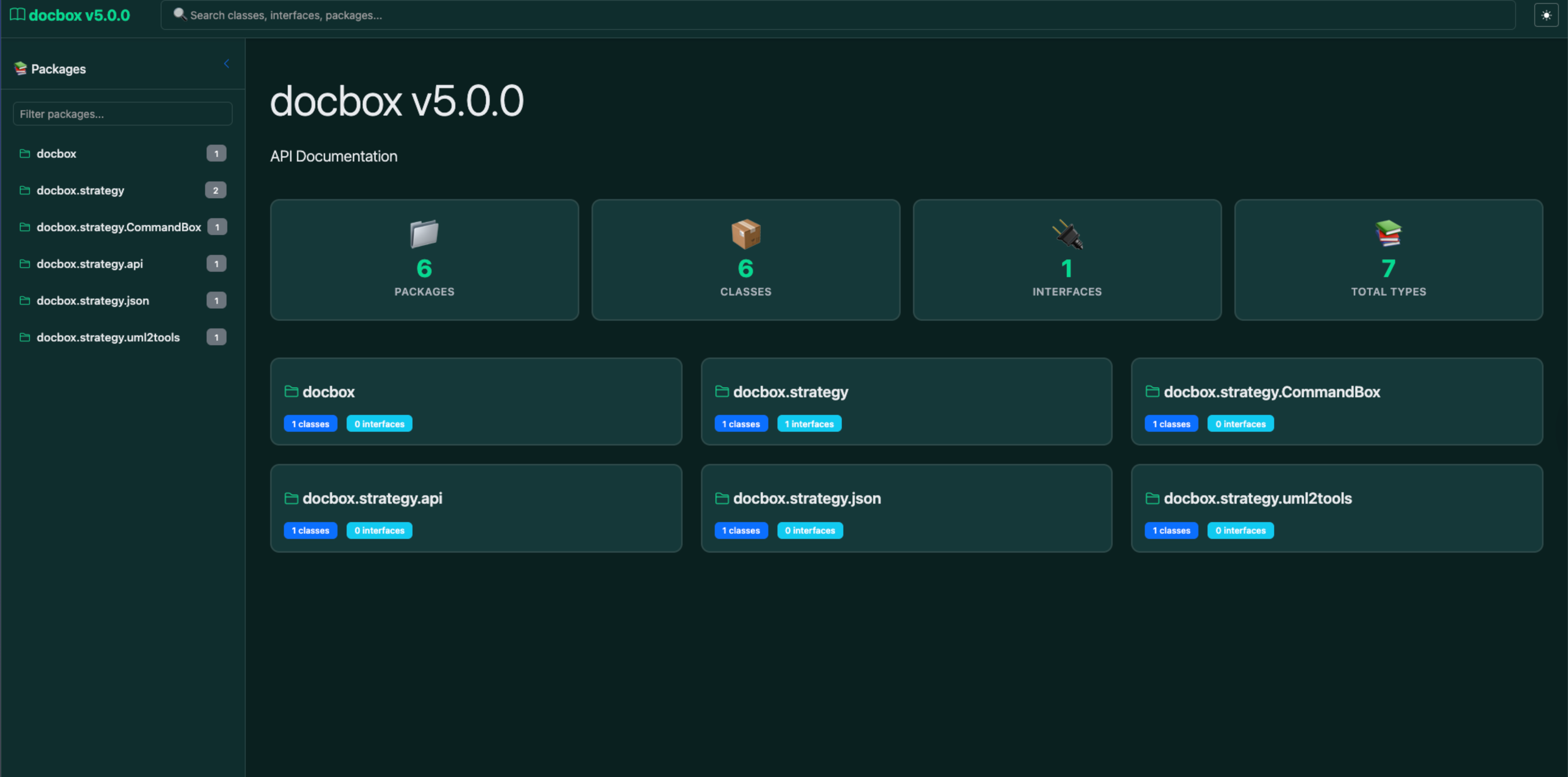
The Evolution: One Tool, Three Flavors 🎭
DocBox v5 gives you three powerful ways to generate stunning API documentation:
- DocBox Core Library 📚 - Embed directly in your BoxLang/CFML applications
- bx-docbox ⚡ - Native BoxLang CLI module for modern workflows
- CommandBox Package 📦 - Integration with your existing build pipelines
Choose your flavor based on your needs. Use one, use all three. We don't judge. 😎
🎨 Theme System: Documentation That Doesn't Look Like It's From 2005
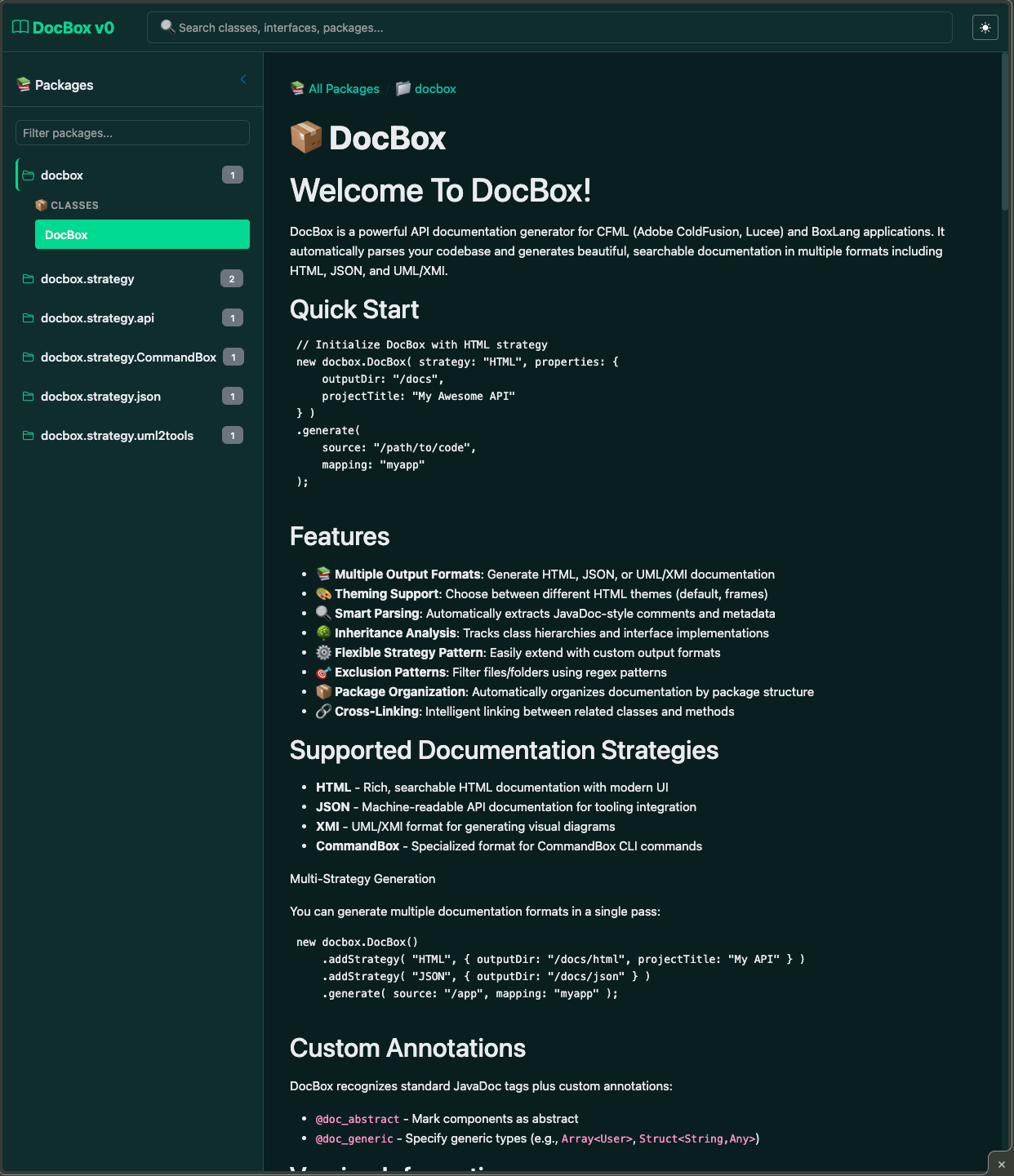
Let's talk about the elephant in the room: most API documentation is ugly. Not anymore. 🙅♂️
DocBox v5 introduces a professional theme system with multiple gorgeous templates out of the box. The default theme is a modern single-page application that includes:
- Responsive Design 📱: Looks perfect on desktop, tablet, and mobile
- Dark Mode 🌙: Because we know you code at night
- Lightning-Fast Search ⚡: Fuzzy matching finds what you need instantly
- Syntax Highlighting 🎨: Beautiful code examples with proper formatting
- Smooth Navigation 🧭: SPA-style routing without page refreshes
- Component Tree View 🌲: Hierarchical navigation that makes sense
- Type Annotations 🏷️: Clear visual indicators for classes, interfaces, and functions
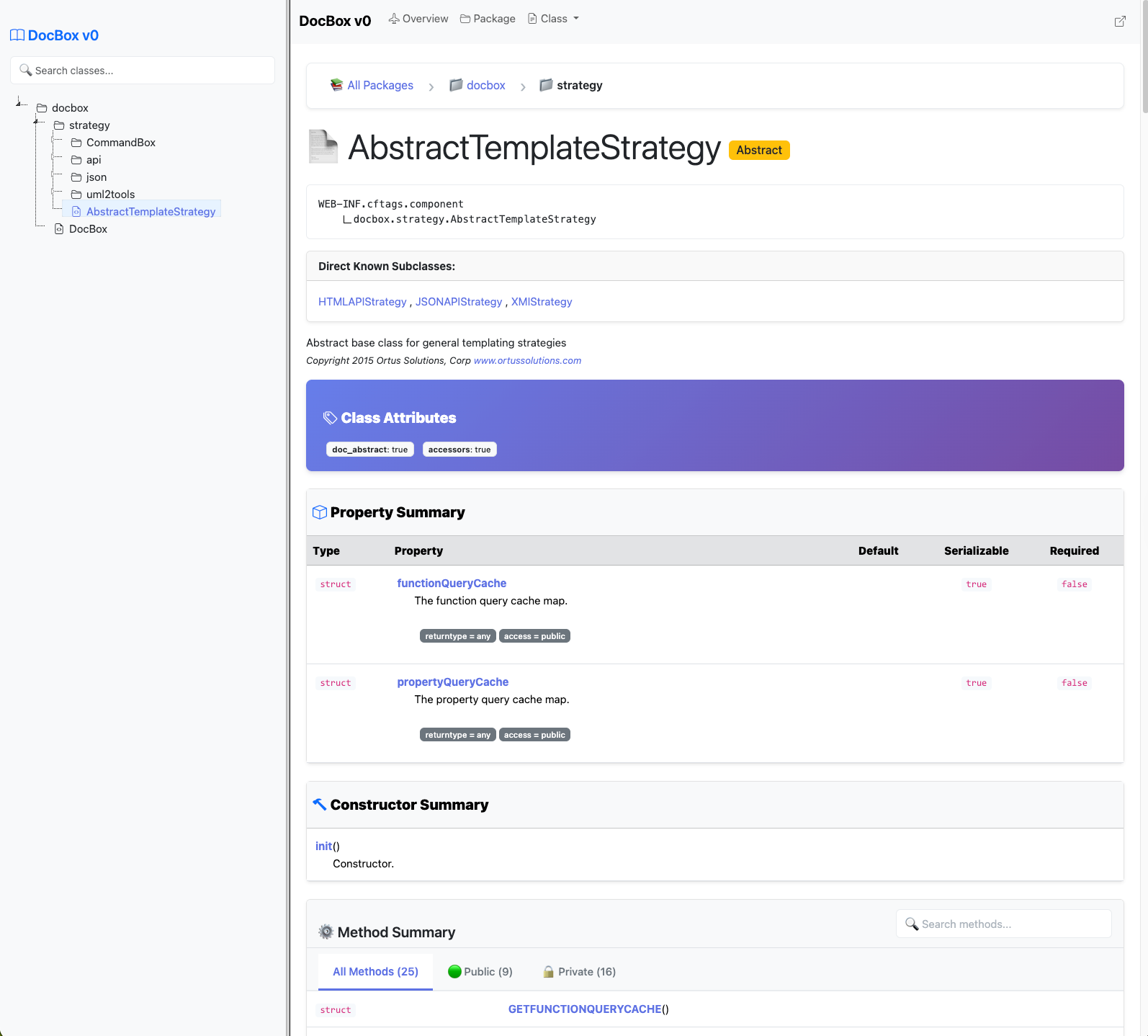
The result? API documentation that developers actually want to use. 💯. Here are the docs for the DocBox library itself: https://s3.amazonaws.com/apidocs.ortussolutions.com/docbox/5.0.0/index.html
Flavor #1: DocBox Core Library 📚
Perfect for runtime documentation generation, integration testing, or building custom doc workflows.
CommandBoxInstallation:
box install docbox
Usage in your BoxLang/CFML code:
new docbox.DocBox(
    strategy = "HTML",
    properties = {
        projectTitle = "My Awesome API",
		projectDescription = "My API library rocks and it's awesome",
        outputDir    = expandPath( "./docs" )
    }
)
.generate(
    source   = expandPath( "./models" ),
    mapping  = "models",
    excludes = "tests,temp"
)

// Want JSON instead? Just change the strategy
new docbox.DocBox(
    strategy = "JSON",
    properties = { outputDir = "./api-docs" }
)
.generate( source = "./src" )

// Want multiple output strategies?
new docbox.DocBox()
    .addStrategy( "HTML", {
        projectTitle : "My Docs",
        outputDir    : expandPath( '/docs/html' ),
        theme        : "default"
    } )
    .addStrategy( "JSON", {
        projectTitle : "My Docs",
        outputDir    : expandPath( '/docs/json' )
    } )
    .addStrategy( "XMI", {
        outputFile : expandPath( '/docs/diagram.uml' )
    } )
    .generate(
        source   = expandPath( "/app" ),
        mapping  = "app",
        excludes = "(tests|build)"
    );
Real-world scenario: Integrate doc generation into your deployment pipeline, automatically refresh docs on code commits, or create living documentation that updates with your codebase. 🔄
Flavor #2: bx-docbox (BoxLang Native CLI) ⚡
The future is now. Native BoxLang module, zero dependencies, maximum performance (https://docbox.ortusbooks.com/getting-started/boxlang-cli). 🚄
Installation:
boxlang install bx-docbox
Basic usage:
boxlang module:docbox --source=/src/models \
                       --mapping=models \
                       --output-dir=/docs

# More complex
boxlang module:docbox --source=/src \
                       --mapping=myapp \
                       --excludes="(tests|build)" \
                       --output-dir=/docs \
                       --project-title="My API"

# Real World
boxlang module:docbox --source=tests/resources/coldbox \
                       --mapping=coldbox \
                       --excludes="(tests|build)" \
                       --output-dir=tests/apidocs \
                       --project-title="ColdBox Framework" \
                       --theme=default
Flavor #3: CommandBox Integration 📦
Already using CommandBox? We've got you covered with seamless integration. 🤝
Installation:
box install commandbox-docbox
Usage:
# Simple generation
docbox generate strategy=HTML source=models outputDir=docs

# Advanced with custom template
docbox generate \
    strategy=HTML \
    source=models,handlers \
    mapping=myapp \
    outputDir=docs \
    excludes=tests,temp \
    projectTitle="My CFML App" \
    projectVersion=2.5.0

# Generate to multiple formats
docbox generate strategy=HTML,JSON source=src outputDir=docs
CommandBox server integration:
// box.json
{
    "scripts": {
        "postInstall": "docbox generate strategy=HTML source=models outputDir=apidocs"
    }
}
Fully Documented & MCP Server
Our entire library is documented in our docs here: https://docbox.ortusbooks.com/. It also contains an MCP server so you can integrate it into your AI coding workflows!
What's Actually New in v5.0.0 🎁
Check out our full engineering docs here: https://docbox.ortusbooks.com/readme/release-history/whats-new-with-5.0.0
🎯 BoxLang-First Architecture
Built from the ground up for BoxLang while maintaining CFML compatibility. This means blazing-fast performance, modern syntax, and native integration with the BoxLang ecosystem.
🎨 Professional Theme System
Multiple gorgeous themes with the default being a modern SPA:
- Single-page application architecture
- Dark mode support 🌙
- Responsive design for all devices 📱
- Advanced search with fuzzy matching 🔍
- Smooth animations and transitions ✨
- Syntax-highlighted code examples 💻
📚 Multi-Strategy Output
- HTML 🌐: Beautiful, searchable documentation with multiple professional themes
- JSON 📄: Machine-readable format for custom tools and integrations
- XMI 📊: Export to UML modeling tools
⚡ Performance Improvements
- 3x faster parsing on large codebases if using BoxLang 🚀
- Optimized template rendering engine 🏎️
- Parallel processing for multi-directory projects 🔄
🔧 Advanced Features
// Exclude patterns
excludes = "tests,temp,node_modules"

// Custom package mappings
mapping = "com.mycompany.api"

// Multi-source documentation
source = "./models,./handlers,./services"

// Custom properties per strategy
properties = {
    projectTitle   = "My API v2.0",
    projectVersion = "2.0.0",
    copyright      = "© 2025 My Company"
}
Real-World Example: Complete Workflow 🛠️
Here's how we use DocBox at Ortus for our open-source libraries:
# Install both flavors
box install docbox
boxlang install bx-docbox

# Development: Quick docs via CLI
boxlang module:docbox --strategy=HTML --source=./models --outputDir=./docs

# CI/CD: Generate multiple formats
docbox generate strategy=HTML,JSON source=models outputDir=build/docs

# Deployment: Upload to CDN or docs site
# (Your deployment script here)
Migration from v4.x 🔄
Quick checklist:
- ✅ Switch to BoxLang runtime
- ✅ Update strategy property names if using custom configs
- ✅ Review custom templates (syntax updates)
- ✅ Test exclude patterns (improved matching)
- ✅ Enjoy the speed boost and gorgeous new themes
Get Started Now 🏁
Documentation: https://docbox.ortusbooks.com 📖
GitHub: https://github.com/Ortus-Solutions/DocBox 💻
Forgebox DOCBOX: https://forgebox.io/view/docbox 📦
Forgebox BX-DOCBOX: https://forgebox.io/view/bx-docbox 📦
Quick install:
# Pick your poison (or all three!)
box install docbox                # Core library 📚
boxlang install bx-docbox         # BoxLang CLI ⚡
box install commandbox-docbox     # CommandBox integration 📦
Why Documentation Matters 📝
Great code deserves great documentation. Whether you're building enterprise applications, open-source libraries, or internal tools, DocBox v5 makes it effortless to create professional API documentation that your team (and future you) will actually use. 👏
Stop writing documentation manually. Stop maintaining outdated API docs. Let DocBox v5 do the heavy lifting while you focus on writing amazing code. 💪
Happy Documenting! 📚


Add Your Comment