
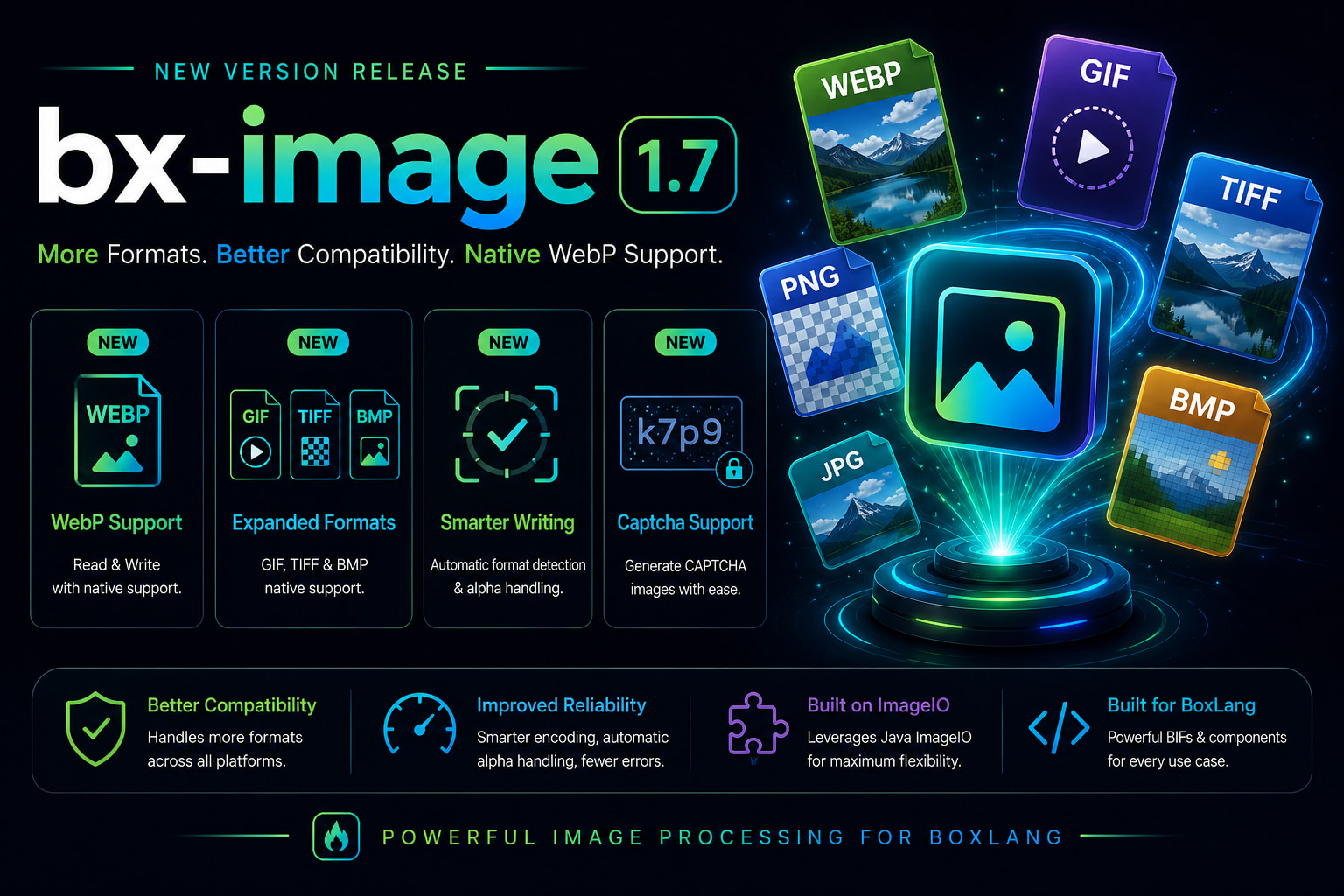
The BoxLang image module just landed two back-to-back releases that make it significantly more capable. 1.6.0 brought CAPTCHA generation. 1.7.0 adds four new image formats, fixes a silent write bug that has been producing PNG files regardless of what extension you asked for, and adds proper alpha channel handling for formats that don't support transparency. Let's dig in. 🚀
What's New at a Glance
| 1.6.0 | 1.7.0 | |
|---|---|---|
| CAPTCHA generation | ✅ | ✅ |
| WebP read/write | ✅ | |
| GIF read/write | ✅ | |
| BMP read/write | ✅ | |
| TIFF read/write | ✅ | |
| Extension-based format detection | ✅ | |
| Alpha-channel compositing for JPEG/BMP | ✅ |
🖼️ Four New Formats: WebP, GIF, BMP & TIFF
WebP
WebP is the dominant modern format for web delivery - smaller files, better quality, browser-native. bx-image 1.7.0 adds full read/write support via the ImageIO plugin.
// Resize and convert to WebP in one fluent chain
imageRead( "hero.png" )
    .scaleToFit( 1200, 630 )
    .sharpen( 1 )
    .write( "hero.webp" );
// Read a WebP from a URL, watermark it, save as WebP
imageRead( "https://cdn.example.com/photo.webp" )
    .setDrawingColor( "white" )
    .setDrawingTransparency( 40 )
    .drawText( "© 2026 My Company", 20, 30, { font: "Arial", size: 18, style: "bold" } )
    .write( "watermarked.webp" );
GIF
Java's built-in ImageIO GIF codec is now fully exposed. Read animated GIFs, output GIF thumbnails - no extra library needed.
// Create an optimized GIF thumbnail from a photo
imageRead( "photo.jpg" )
    .scaleToFit( 200, 200 )
    .write( "thumbnail.gif" );
BMP
BMP support comes with automatic ARGB-to-RGB conversion on write, since the BMP format has no alpha channel concept.
imageRead( "logo.png" )
    .resize( 300, 300 )
    .write( "logo.bmp" );  // Alpha composited onto white automatically
TIFF
TIFF support arrives via Java 9+'s built-in ImageIO plugin - lossless, widely used in print and archival workflows.
imageRead( "scan.jpg" )
    .grayScale()
    .write( "scan-archive.tiff" );
🐛 The Write Bug Fix
Before 1.7.0, ImageWrite and img.write( path ) were hardcoded to produce PNG data regardless of the destination file extension. So calling .write( "output.jpg" ) was quietly writing a PNG with a .jpg extension - a valid image, but the wrong format with the wrong byte footprint.
Before (broken behavior):
// This produced a PNG file, not a JPEG
imageRead( "input.jpg" )
    .scaleToFit( 800, 600 )
    .write( "output.jpg" );  // 🐛 Actually wrote PNG bytes
After (fixed in 1.7.0):
// Each extension now correctly encodes in the target format
imageRead( "input.jpg" ).scaleToFit( 800, 600 ).write( "output.jpg" );   // JPEG ✅
imageRead( "input.jpg" ).scaleToFit( 800, 600 ).write( "output.webp" );  // WebP ✅
imageRead( "input.jpg" ).scaleToFit( 800, 600 ).write( "output.gif" );   // GIF  ✅
imageRead( "input.jpg" ).scaleToFit( 800, 600 ).write( "output.bmp" );   // BMP  ✅
imageRead( "input.jpg" ).scaleToFit( 800, 600 ).write( "output.tiff" );  // TIFF ✅
imageRead( "input.jpg" ).scaleToFit( 800, 600 ).write( "output.png" );   // PNG  ✅
Format detection is automatic from the file extension. No configuration, no extra arguments.
🎭 Alpha Channel Compositing for JPEG & BMP
JPEG and BMP have no alpha channel. Before 1.7.0, writing a PNG with transparency to either format would fail or produce garbled output. Now, if an image carries an alpha channel and you write it to JPEG or BMP, the module automatically composites it onto a white background first.
// logo.png has transparency - now writes a clean JPEG without errors
imageRead( "logo.png" )
    .resize( 400, 400 )
    .write( "logo.jpg" );  // Alpha composited onto white ✅
This means you can safely pipeline PNG logos and other transparent assets into JPEG workflows without any pre-processing step.
🔍 Updated Format Discovery
GetReadableImageFormats() and GetWriteableImageFormats() now reflect the full expanded list including webp, gif, bmp, and tiff. Useful if you're building dynamic format selection in your apps:
// Check what's available at runtime
readable = GetReadableImageFormats();
writable = GetWriteableImageFormats();

writeDump( readable );  // [ "png", "jpg", "jpeg", "webp", "gif", "bmp", "tiff", "wbmp" ]
writeDump( writable );  // [ "png", "jpg", "jpeg", "webp", "gif", "bmp", "tiff", "wbmp" ]
🤖 CAPTCHA Generation (Since 1.6.0)
If you missed the 1.6.0 release, it shipped ImageGenerateCaptcha() - a full CAPTCHA generator with configurable difficulty, font size, and font families. The argument order matches ColdFusion for easy migration.
// Basic CAPTCHA - height, width, text
captcha = ImageGenerateCaptcha( 75, 200, "X9K2A3" );
imageWrite( captcha, "/path/to/captcha.png" );

// High difficulty with custom fonts
captcha = ImageGenerateCaptcha( 35, 400, "loner", "high", "serif,sansserif", 24 );
imageWrite( captcha, "/path/to/captcha.png" );
Difficulty levels control how distorted the output gets:
low- minimal rotation, clean backgroundmedium- moderate rotation, noise dots, crossing lineshigh- heavy rotation, dense noise, wavy lines, random character colors
The <bx:image> component supports it too, and will auto-stream to the browser when neither name nor destination is specified:
{{-- Auto-streams directly to browser --}}
<bx:image action="captcha" text="X9K2A3" width="200" height="75" difficulty="medium" />

{{-- Store in a variable for further processing --}}
<bx:image action="captcha" text="X9K2A3" width="200" height="75" name="myCaptcha" />

{{-- Write to file --}}
<bx:image action="captcha" text="X9K2A3" destination="/path/to/captcha.png" overwrite="true" />
📦 Install / Upgrade
# CommandBox
box install bx-image

# BoxLang OS install
install-bx-module bx-image
No breaking changes. Drop-in upgrade from any prior 1.x version.
📚 Resources
- 📖 Docs: boxlang.ortusbooks.com/boxlang-framework/modularity/image-manipulation
- 📦 GitHub: github.com/ortus-boxlang/bx-image
- 🗒️ Changelog: github.com/ortus-boxlang/bx-image/blob/main/changelog.md
- 💬 Community: community.ortussolutions.com
- 📱 Slack: BoxTeam Slack



Add Your Comment