
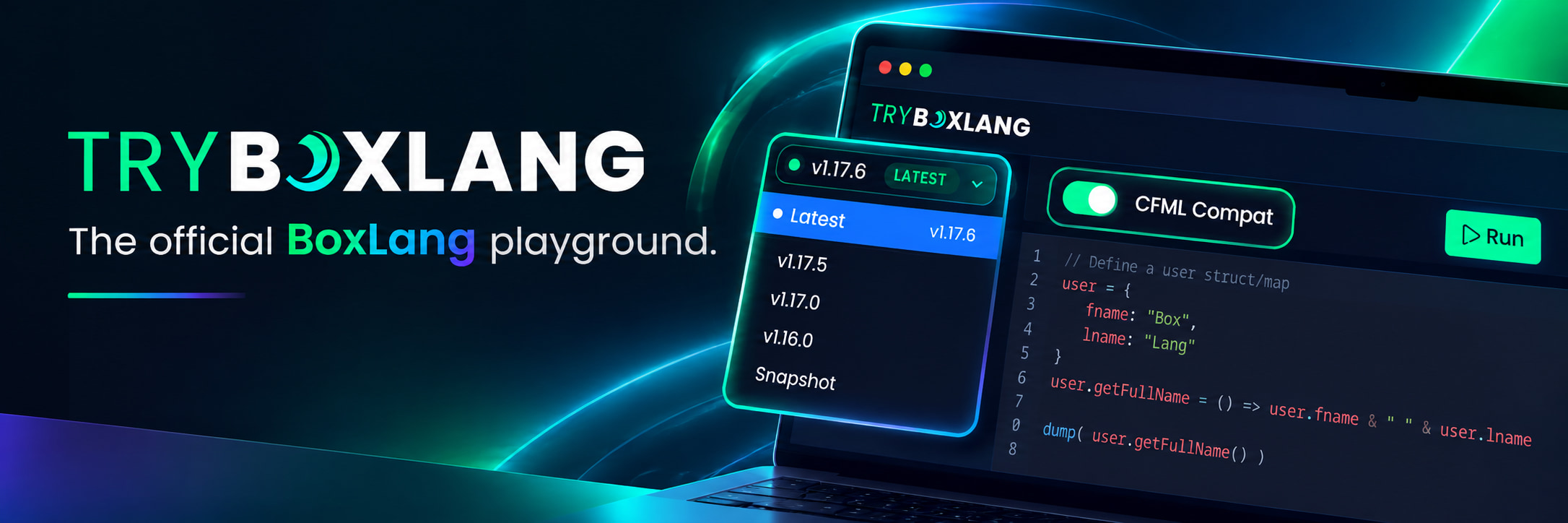
The BoxLang playground at try.boxlang.io just got a major upgrade. You can now choose any released version of BoxLang and toggle CFML Compat mode on or off, right from the editor toolbar. No installs, no Docker images, no servers. Open a browser, write code, hit Run.
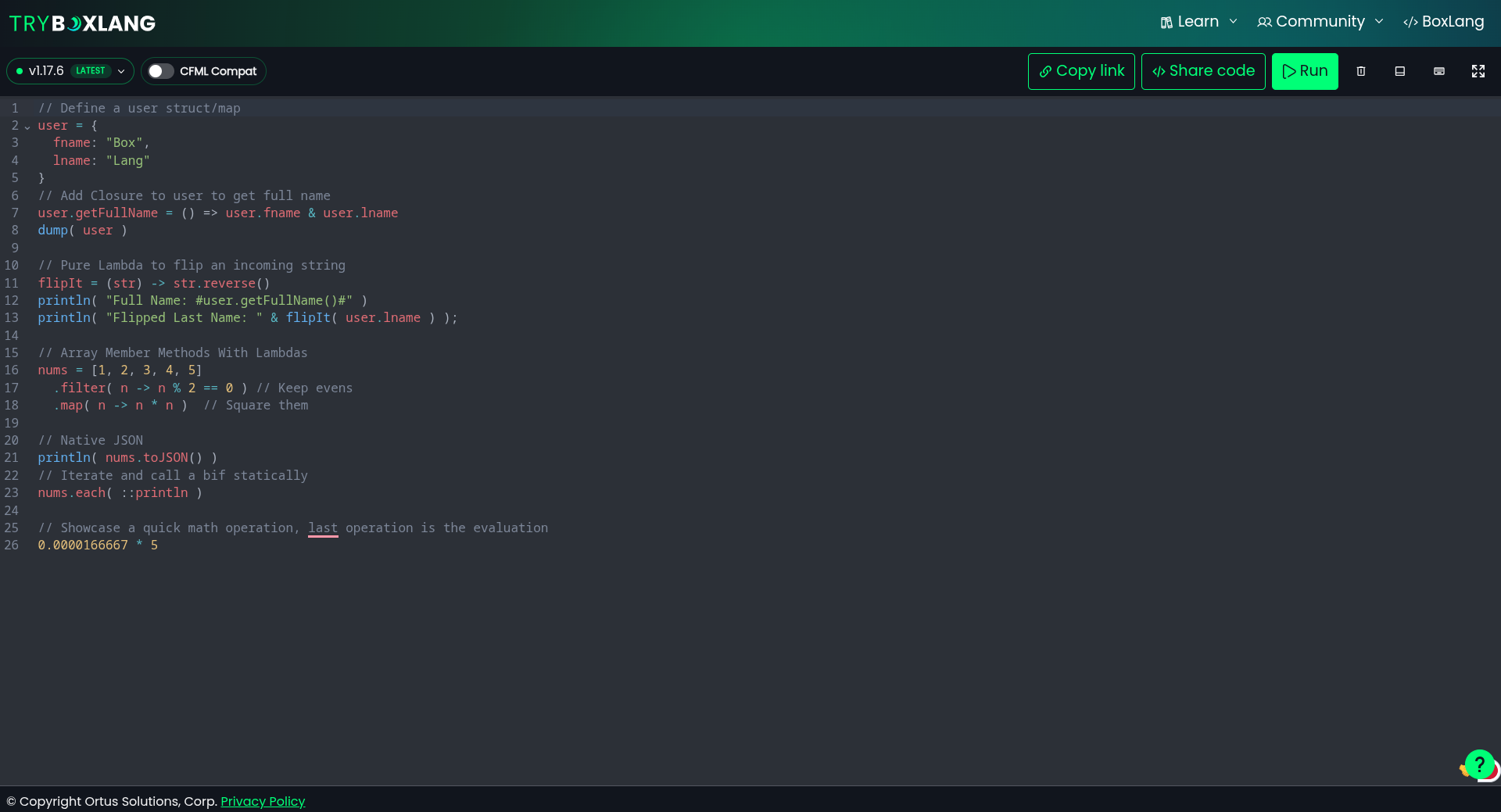
And the best part? The whole thing is powered by BoxLang Serverless on AWS Lambda, built and deployed from a single repository. Keep reading, because if you have ever wondered what BoxLang can do in the cloud, this is your answer. ☁️
🎯 What's New
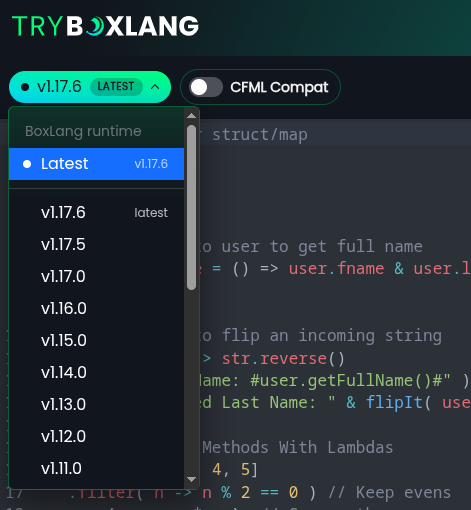
Pick Any BoxLang Version
The new version picker in the top left lists Latest or Snapshot plus every released BoxLang runtime. Choose Latest to always run against the newest release, or pin a specific version like 1.17.5, 1.16.0 or 1.11.0 and your code executes against exactly that runtime.
Flip CFML Compat On or Off
Right next to it you will find the CFML Compat toggle. Turn it on and your code runs with the bx-compat-cfml module loaded, the same module that lets BoxLang run Adobe ColdFusion and Lucee applications. Turn it off and you get pure, modern BoxLang.
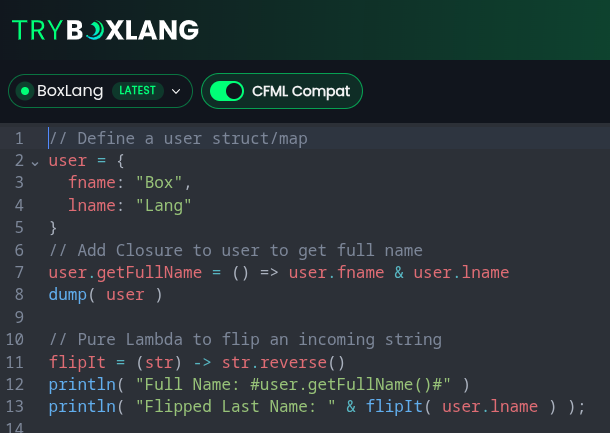
Every combination is available: any version, with or without compat.
💡 Why This Matters
This is not just a nice dropdown. It changes how you work with BoxLang:
- 🐛 Reproduce bugs precisely. Seeing different behavior after an upgrade? Run the same snippet against the previous version and the current one, side by side, in seconds.
- 🔍 Compare releases. Want to see what a new release changed? Pin two versions and find out without touching your local setup.
- 🔄 Test your CFML before migrating. Coming from Adobe ColdFusion or Lucee? Paste your code, enable CFML Compat, and see how it runs on BoxLang. Then turn compat off and see what modern BoxLang looks like.
- 🎓 Teach and learn with confidence. Share a link that runs on a specific version, so your blog post, Slack answer or training example keeps working exactly as intended.
- 🤝 Better bug reports. Filing an issue? Include a try.boxlang.io link with the exact version and compat setting. That is a reproducible test case in one click.
🏗️ How It Works: One Repo, Every Permutation
Here is where it gets exciting. Behind the playground there is no fleet of servers and no pile of repositories. There is one repository.
That single codebase is built as a permutation matrix:
| CFML Compat OFF | CFML Compat ON | |
|---|---|---|
| BoxLang 1.17.6 | Lambda | Lambda |
| BoxLang 1.17.5 | Lambda | Lambda |
| BoxLang 1.16.0 | Lambda | Lambda |
| ... every release | Lambda | Lambda |
Every BoxLang version x CFML Compat combination becomes its own AWS Lambda function, and each one has:
- 🧱 Its own environment. The exact BoxLang runtime version, with or without the compat module, packaged in isolation.
- 🔒 Its own operating space. Separate memory, configuration and execution context. A run on
1.11.0with compat can never interfere with a run on1.17.6without it. - 📈 Its own scaling. AWS scales each function independently based on demand. Popular versions scale up, older ones cost nothing while idle.
Adding a new BoxLang release to the playground is simply a new entry in the matrix. Same code, same build, one more set of Lambdas.
Think about what that means for your own applications. The same approach lets you run multiple versions of an API, A/B test runtime upgrades, keep a legacy CFML workload alive in compat mode while you modernize, or deploy per-tenant functions, all from a single codebase and all without managing a single server.
☁️ BoxLang Serverless on AWS: Built for This
try.boxlang.io is not a special case. It runs on the same BoxLang AWS Lambda Runtime that is available to you today. Here is what you get out of the box.
Write a Class, Ship a Function
Your Lambda is a plain BoxLang class. The runtime finds Lambda.bx by convention and calls run():
/**
 * My BoxLang Lambda
 */
class {

    function run( event, context, response ){
        response.statusCode = 200
        response.body = {
            "error"    : false,
            "messages" : [],
            "data"     : "Hello from BoxLang on AWS Lambda!"
        }
    }

}
The incoming JSON arrives as a BoxLang struct in event, context is the native AWS context object (100% Java interop, so call any method on it), and response is an optional convention struct. Prefer to just return data? Return a string, struct or array and the runtime serializes it to JSON for you:
class {

    function run( event, context, response ){
        return {
            "function"  : context.getFunctionName(),
            "remaining" : context.getRemainingTimeInMillis(),
            "when"      : now(),
            "data"      : [ 1, 2, 3 ].map( n -> n * n )
        }
    }

}
Point your function at the prebuilt handler and you are done:
ortus.boxlang.runtime.aws.LambdaRunner::handleRequest
Everything a Serverless App Needs
The BoxLang AWS runtime acts as a front controller for every invocation and gives you:
- ⚡ Automatic request and response management. JSON in, JSON out, with automatic error handling and exception management.
- 🧭 Convention based URI routing. Expose your Lambda as a URL and
/productsroutes toProducts.bx,/user-profileroutes toUserProfile.bx. Build multi-endpoint APIs in one function. - 🎯 Function targeting via header. Send
x-bx-function=methodNameto call a different method in yourLambda.bx. - 🚀 Class compilation caching. Classes compile once and are reused across invocations for faster warm executions.
- 🗄️ Connection pooling. Database connections are pooled and reused. Tune it with
BOXLANG_LAMBDA_CONNECTION_POOL_SIZE. - 📊 Performance metrics. Set
BOXLANG_LAMBDA_DEBUGMODE=truefor timing, memory and pool statistics. - 🔁 Life-cycle events through
Application.bx. - 🧩 Any BoxLang module. Drop modules into
src/resources/boxlang_modulesand they ship with your function. - 📝 Automatic logging and tracing.
From Zero to Deployed
The BoxLang AWS Lambda starter template is a turnkey project with testing, Maven dependency management, SAM CLI integration and GitHub Actions already wired up:
# Configure your project
cp workbench/config.env workbench/config.local.env

# Test and build your Lambda zip
./gradlew test
./gradlew build

# Run it locally with SAM
./gradlew runLocal
./gradlew runLocalApi

# Deploy to AWS
./workbench/2-deploy.sh
The included GitHub Actions deploy your development branch to a staging function and main to production automatically, creating the function through CloudFormation if it does not exist yet.
🧠 Why BoxLang for Serverless?
- ✅ Productivity first. A modern, dynamic, expressive language with closures, lambdas, member functions and native JSON. Less boilerplate, more shipping.
- ☕ The entire JVM at your fingertips. 100% Java interop means every AWS SDK, every Java library, every Maven artifact is available to your functions.
- 🔄 Bring your CFML to the cloud. With
bx-compat-cfml, existing Adobe ColdFusion and Lucee code can run serverless, no servers or licenses required. Modernize at your own pace. - 💰 Pay for what you use. No idle servers. try.boxlang.io runs every released BoxLang version, in two modes, and the ones nobody is using cost nothing.
- 🌍 Write once, run anywhere. The same BoxLang code runs on the CLI, web servers, Docker, AWS Lambda, Google Cloud Functions and more.
🎉 Try It Now
Head over to try.boxlang.io, pick a version, flip the CFML Compat switch and hit Run. Then remember: everything you just used is running on the same serverless runtime you can deploy today.
Resources
- 🧪 Playground: try.boxlang.io
- 📚 AWS Lambda Docs: boxlang.ortusbooks.com/getting-started/running-boxlang/aws-lambda
- 🧰 Starter Template: github.com/ortus-boxlang/boxlang-starter-aws-lambda
- ⚙️ Runtime Source: github.com/ortus-boxlang/boxlang-aws-lambda
- 🔄 CFML Compatibility: bx-compat-cfml
Need Help Going Serverless?
Planning to move your applications to AWS Lambda, or migrate a CFML workload to BoxLang in the cloud? Ortus Solutions offers professional support, training and consulting to get you there fast. Contact us and let's build it together. 💚


Add Your Comment