

 At Ortus Solutions, we love the holidays, and we wanted to gift you a gift of developer productivity, we will share a few tips and tricks that will keep giving all year around. In this series we'll be giving you 12 ContentBox tips. Keep your eye out for other 12 tips of Christmas series on our blog, including a new one this year, 12 modules of Christmas on ForgeBox.
Day 3 - Password enhancements. Security is a big deal for Ortus Solutions, and ContentBox is no different. Working with lots of customers, big and small, we run into a lot of security requirements, and we use those experiences to make ContentBox better, and passwords has had some major changes recently.
Password Enhancements
There have been many updates on both the UI and the security of user passwords.
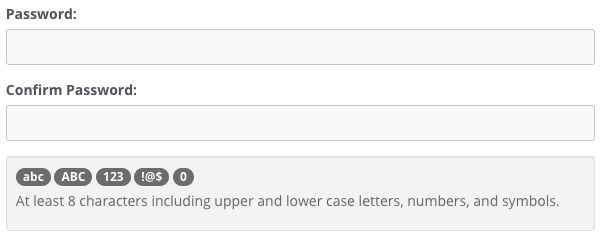
Password Meter
We have introduced the concept of a visual password meter, which can guide users when changing, resetting or setting passwords:
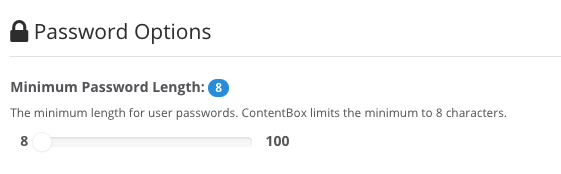
Password Length Options
You can now also as an admin decide on the minimum length of user passwords.
Password Reset Options
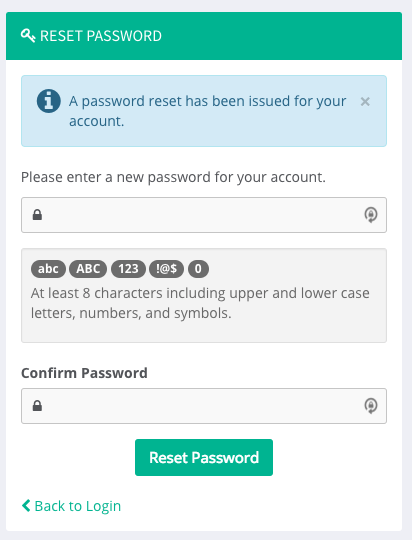
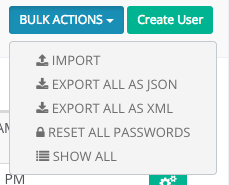
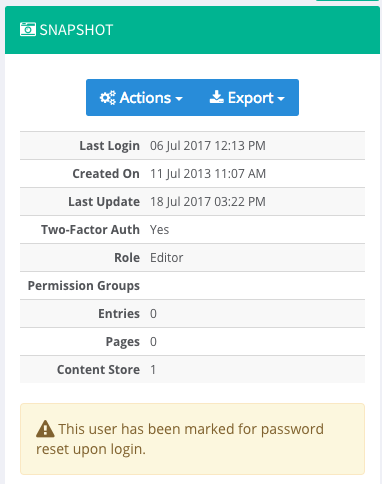
As an administrator, you can now reset user passwords a-la-carte or for every single user in the system. This will issue a notification to the user with instructions on resetting their system password. User password reset workflow has now been improved with our new password reset screens instead of bulky double email validation mechanisms.
New Interception Events
Here are the new interception events you can listen on for password reset workflows:
cbadmin_onGlobalPasswordResetcbadmin_onPasswordResetcbadmin_onInvalidPasswordReset
A perfect example of extending these interception points, is using Security Questions to reset your password, instead of sending a password reset email. We built this for a customer, allowing their ContentBox app to have multiple ways for a user to reset their password if they had forgotten it.



Add Your Comment