

 At Ortus Solutions, we love the holidays, and we wanted to gift you a gift of developer productivity, we will share a few tips and tricks that will keep giving all year around. In this series we'll be giving you 12 ContentBox tips. Keep your eye out for other 12 tips of Christmas series on our blog, including a new one this year, 12 modules of Christmas on ForgeBox.
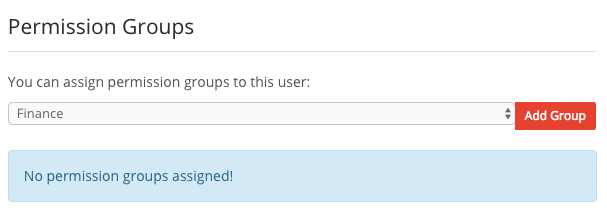
Day 2 - We're going to look at Permission Groups. In complex apps, managing permissions can be difficult. ContentBox has always given your Users a Role, which includes a set of permissions, and a la carte permissions. Recently, we have added Permission Groups, to allow you to assign groups of permissions to users, in addition to a singular role.
The entire permissions tab for authors has been revamped to allow you better visualization of rules and permissions.
Organizing Permissions
Roles might be setup as Administrator, Editor, User, but some editors might need permissions to some modules and not others. Now, you can setup Permission Groups for each job tasks.
- Media Uploader
- Media Manager
- Product Admin
- Order Processor
Using permission groups allows you to easily assign multiple permission groups to users.
Its a useful feature, and we think it will make managing your users and permissions much easier.
Keep an eye out for the rest of our 12 tips of ContentBox Christmas.





Add Your Comment