

 At Ortus Solutions, we love the holidays, and we wanted to gift you a gift of developer productivity, we will share a few tips and tricks that will keep giving all year around. In this series we'll be giving you 12 ContentBox tips. Keep your eye out for other 12 tips of Christmas series on our blog, including a new one this year, 12 modules of Christmas on ForgeBox.
Day 1 This is one of our biggest features for ContentBox is our two factor authentication framework. That's right, we built a two factor module framework that will allow you to build or use any two factor or multi-factor authentication mechanism. We have included one in the core which is Email verification... and already created SNS implementations for customers.
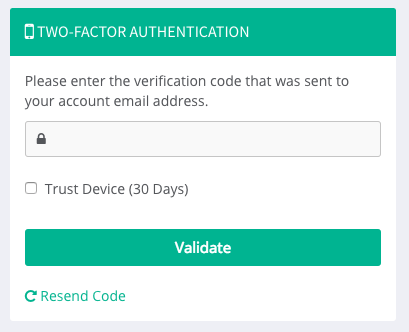
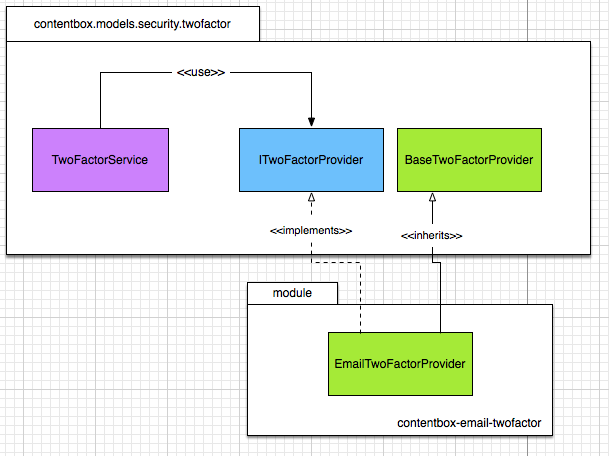
Please refer to the developing two factor authentication providers in order to get an in-depth look of how to build your own two factor authentication provider modules.
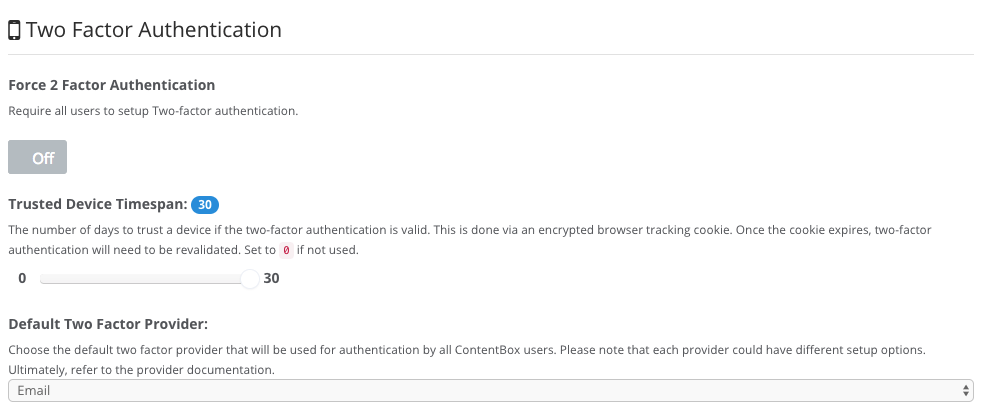
Global Settings
An admin can force two factor authentication for all users in the system and even provided a trusted device registry so ContentBox can track their devices and challenge only after a few days.
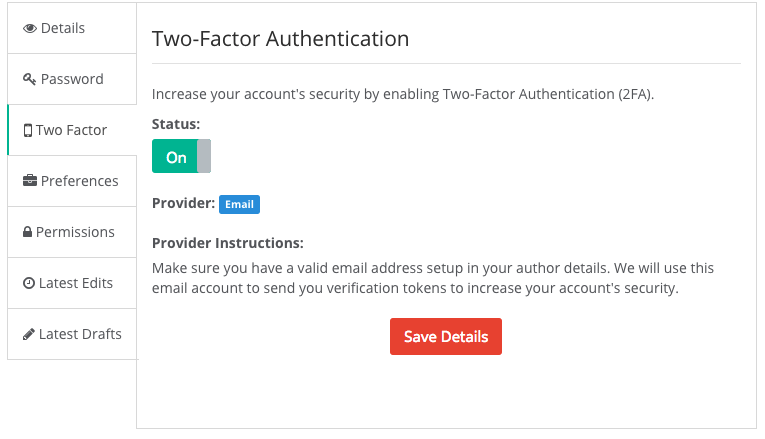
User Settings
The user can also setup two factor authentication for their account if so desired.
Two Factor Events
The following are the new interception points for two factor authentication. These are required if you would like to create your own provider.
cbadmin_onTwoFactorSettingsPanel- Shows on the two factor global settings panelcbadmin_onAuthorTwoFactorOptions- Shows on the options for two factor auth in the author editorcbadmin_onAuthorTwoFactorSaveOptions- Fires when the options are being savedcbadmin_beforeTwoFactorForm- Shows at the beginning of two factor form challengecbadmin_afterTwoFactorForm- Shows after the two factor form challengecbadmin_onInvalidTwoFactor- Fires when an invalid challenge has been madecbadmin_onValidTwoFactor- Fires when a valid challeng has been made
Keep an eye out for the rest of our 12 tips of ContentBox Christmas.



Add Your Comment