

We are excited to announce the release of version 2.0.0 of the TestBox VSCode Extension. This new version brings enhanced support for TestBox v5, introduces convenient default shortcuts, adds new commands with extensive configuration options, and includes several improvements for linting, file formatting, and code quality. Additionally, we have optimized the spec lookup feature for faster and more accurate navigation. In this blog post, we will explore the key additions and improvements in the TestBox VSCode Extension v2.0.0.
Install it now: https://marketplace.visualstudio.com/items?itemName=ortus-solutions.vscode-testbox
Added Features
- TestBox v5 Support:
The TestBox VSCode Extension v2.0.0 now fully supports TestBox v5, providing compatibility with the latest features and enhancements introduced in the TestBox testing framework.
- Default Shortcuts for Running Jump to Spec Command:
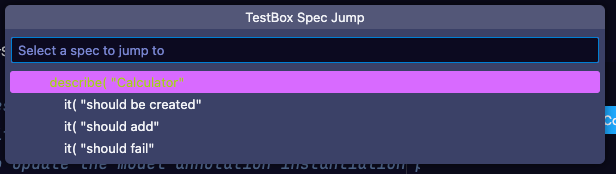
To streamline your workflow, we have introduced default keyboard shortcuts for the "Jump to Spec" command. You can now use shift+cmd+t (or the equivalent key combination on your platform) to quickly navigate to the relevant spec in your Test Bundle.
- New Commands for Running Test Harness, Bundle, and Single Spec:
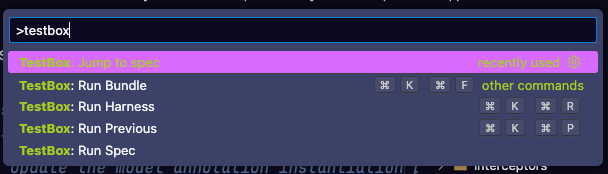
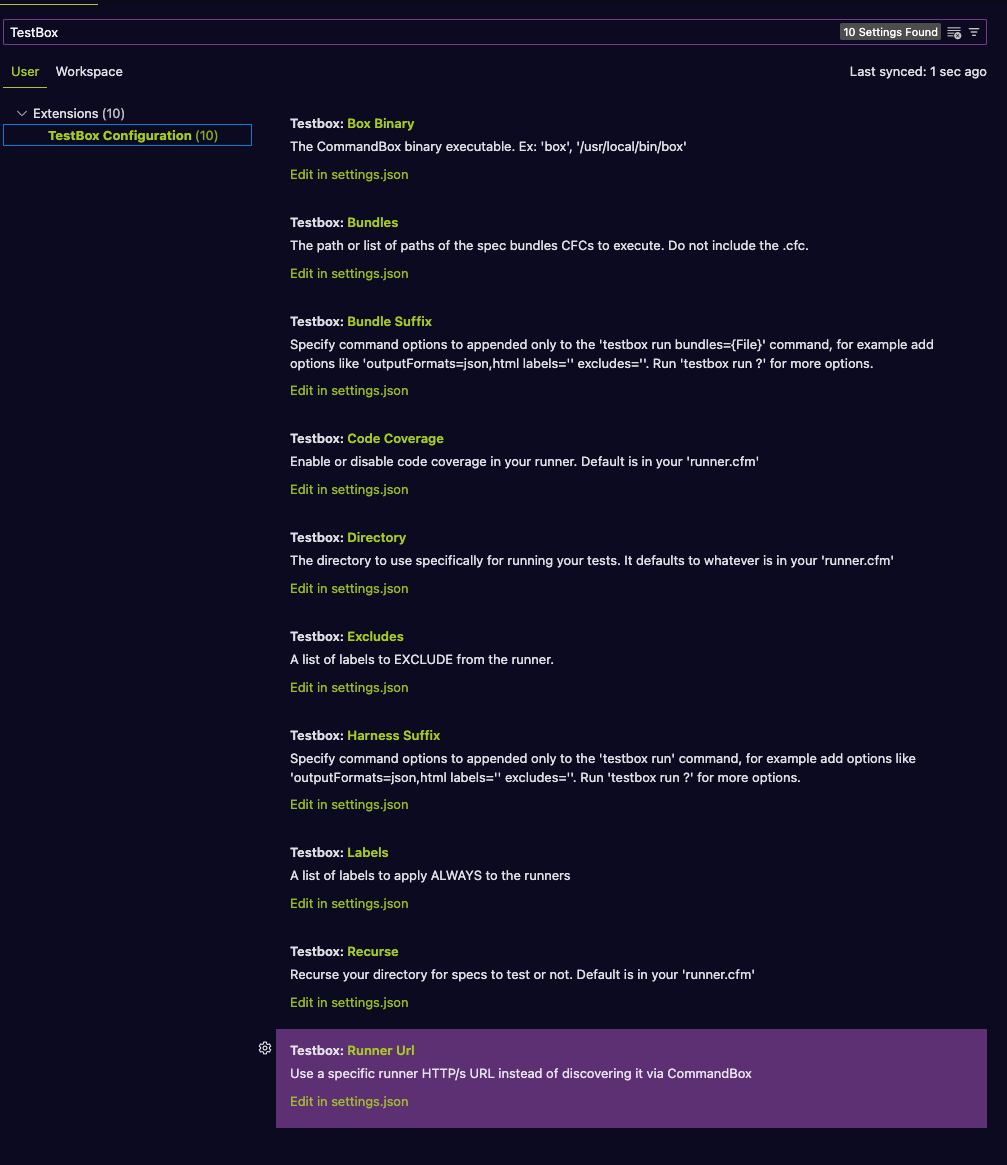
Version 2.0.0 introduces a set of new commands that empower you to execute your test harness, bundle, or individual spec with ease. These commands come with a plethora of configuration options, allowing you to fine-tune the execution process according to your requirements. For more details on the available commands and their configurations, please refer to the extension's readme file.
Improvements:
- Fine-tuned and Optimized Spec Lookup:
We have invested significant effort in optimizing the spec lookup functionality. By eliminating unnecessary whitespace lookups and implementing various performance enhancements, we have made spec navigation faster, more accurate, and more efficient.
In Summary
The TestBox VSCode Extension v2.0.0 brings exciting new features, improved compatibility with TestBox v5, and enhanced capabilities to boost your testing workflow within Visual Studio Code. With the introduction of default shortcuts, additional commands with extensive configurations, and optimizations to the spec lookup mechanism, this release empowers developers to write tests more efficiently and maintain code quality effortlessly. Upgrade to version 2.0.0 today and take advantage of these enhancements to supercharge your TestBox experience in VSCode.
Collaboration
If you want to collaborate to this project, then please fork our repository and help us out: https://github.com/ortus-solutions/vscode-testbox






Add Your Comment