
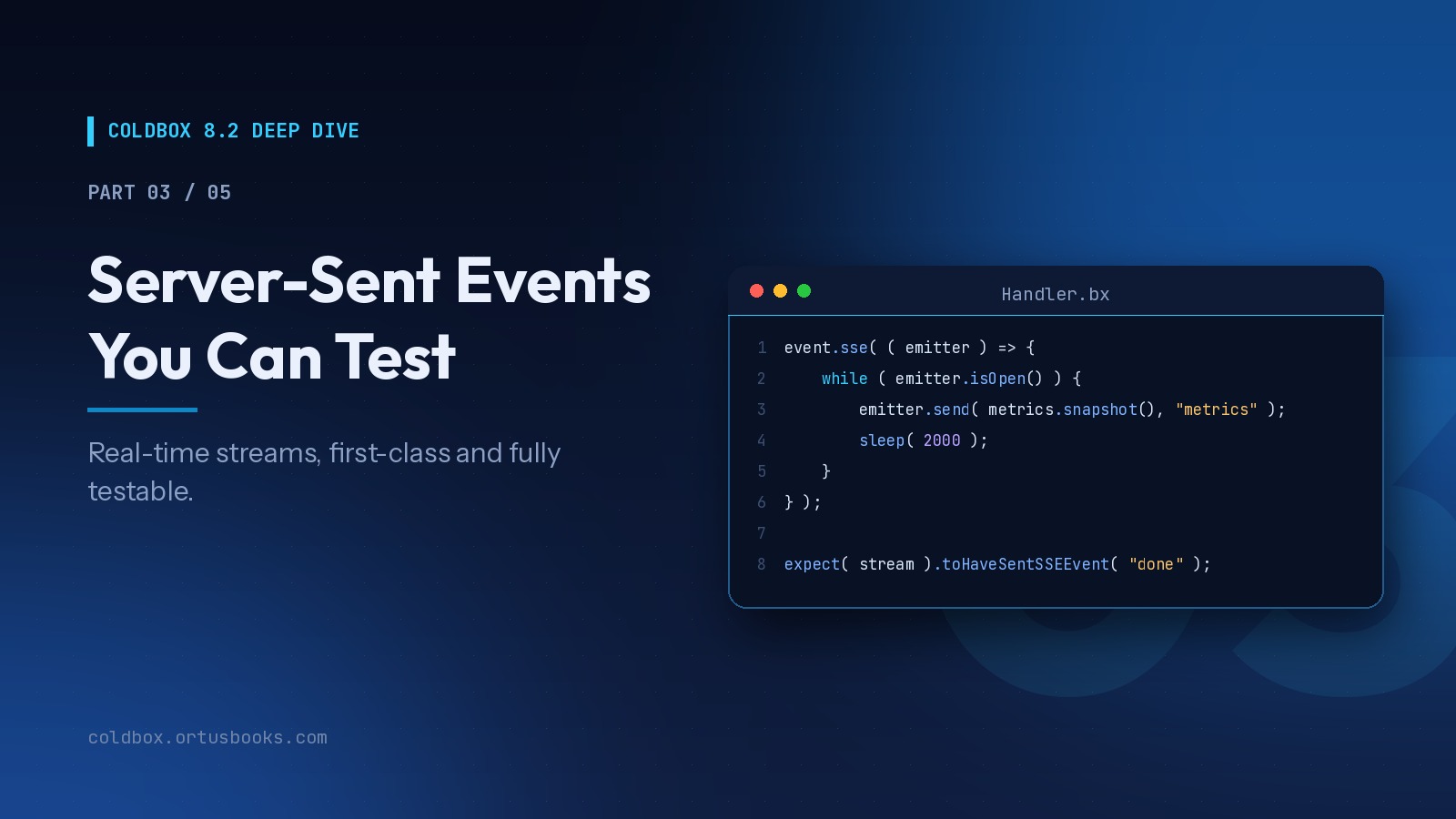
The series:
- Route-Scoped Middleware
- HTTP Caching Done Right
- Server-Sent Events You Can Test (you are here)
- AI Routing and Gateways
- Capstone: Building a Live Support Desk
Part 2 was about sending as little as possible. Today is the opposite: keeping a connection open and pushing data the moment it exists.
Why Server-Sent Events?
When the server needs to push updates to the browser, you have three options:
| Approach | Direction | Complexity | Good for |
|---|---|---|---|
| Polling | Client asks, repeatedly | Low | Infrequent updates, simple needs |
| SSE | Server → client | Low | Feeds, dashboards, progress, AI token streams |
| WebSockets | Both directions | Higher | Chat, collaborative editing, games |
Most "real-time" features are actually one-directional: a job's progress, a notification feed, a live metric, an LLM streaming tokens. SSE is built for exactly that. It's plain HTTP, it works through proxies and load balancers, browsers reconnect automatically, and the client API is one line: new EventSource( url ).
In ColdBox 8.1, streaming existed as plumbing inside AI routing. In 8.2.0, it's a first-class framework feature. We incubated it for months before shipping, because streaming APIs are easy to get almost right and hard to get truly right: disconnects, keep-alives, error frames, proxies, and above all, testing.
SSE is a BoxLang feature. On other engines,
event.sse()throws a clearSSENotSupportedException, andevent.isSSESupported()lets you degrade gracefully.
Your First Stream
// handlers/Metrics.bx
class {

    property name="metricsService" inject;

    function live( event, rc, prc ){
        event.sse( ( emitter ) => {
            while ( emitter.isOpen() ) {
                emitter.send( metricsService.snapshot(), "metrics" );
                sleep( 2000 );
            }
        } );
    }

}
And the browser:
const source = new EventSource( "/metrics/live" );

source.addEventListener( "metrics", ( e ) => {
    const data = JSON.parse( e.data );
    document.querySelector( "#cpu" ).textContent = data.cpu + "%";
} );
event.sse() takes over the response: it sets the text/event-stream headers, commits them, and runs your callback with an emitter. What you get for free:
- Automatic keep-alives, so idle proxies don't cut the connection (most proxies time out around 60 seconds)
- Disconnect detection:
isOpen()flips tofalsewhen the client goes away - Safe sends: every send method silently no-ops after a disconnect, so a loop never throws on a dead connection
- Serialization: complex values are sent as JSON
The Emitter API
| Method | What it does |
|---|---|
send( data, [event], [id] ) | Send a frame. Complex data is serialized as JSON |
sendData( data, [type], [event], [id] ) | Send through the DataMarshaller: json, xml, text, html |
sendView( view, [args], [layout], [module], [event], [id] ) | Render a ColdBox view into a frame |
sendLayout( ... ) | Render a layout into a frame |
sendError( message, [code] ) | Send a structured error frame |
sendIf( condition, data, [event], [id] ) | Send only when condition is true |
comment( text ) | Send an SSE comment (ignored by clients, handy for debugging) |
heartbeat() | Send a heartbeat frame |
isOpen() / isClosed() | Connection state |
close() | End the stream from the server side |
All send methods are fluent:
emitter
    .send( { status : "starting" }, "status" )
    .sendIf( job.hasWarnings(), job.getWarnings(), "warnings" )
    .send( { status : "running" }, "status" );
Real Example: A Job Progress Stream
A classic: kick off a long job, then stream its progress to the user.
// handlers/Imports.bx
class {

    property name="importService" inject;

    function progress( event, rc, prc ){
        event.sse( ( emitter ) => {
            var job = importService.get( rc.jobId );

            while ( emitter.isOpen() && !job.isFinished() ) {
                emitter.send(
                    { "processed" : job.getProcessed(), "total" : job.getTotal() },
                    "progress"
                );
                sleep( 500 );
                job.refresh();
            }

            if ( job.hasFailed() ) {
                emitter.sendError( job.getErrorMessage(), "IMPORT_FAILED" );
            } else {
                emitter.send( { "records" : job.getProcessed() }, "done" );
            }

            emitter.close();
        } );
    }

}
Note the loop condition checks both the connection and the job. If the user closes the tab, the loop ends on the next iteration instead of polling a job nobody is watching.
HTML Over the Wire: sendView()
The emitter speaks ColdBox, so you can stream rendered views, not only JSON. This pairs perfectly with htmx and its SSE extension:
// handlers/Orders.bx
class {

    property name="orderService" inject;

    function feed( event, rc, prc ){
        event.sse( ( emitter ) => {
            var since = now();
            while ( emitter.isOpen() ) {
                for ( var order in orderService.createdSince( since ) ) {
                    emitter.sendView(
                        view  : "orders/_row",
                        args  : { order : order },
                        event : "order",
                        id    : order.getId()
                    );
                }
                since = now();
                sleep( 1000 );
            }
        } );
    }

}
<!-- views/orders/_row.bxm -->
<bx:output>
<tr>
    <td>#args.order.getNumber()#</td>
    <td>#args.order.getCustomerName()#</td>
    <td>#dollarFormat( args.order.getTotal() )#</td>
</tr>
</bx:output>
<!-- views/orders/index.bxm -->
<table>
    <tbody hx-ext="sse" sse-connect="/orders/feed" sse-swap="order" hx-swap="afterbegin">
    </tbody>
</table>
No JavaScript written, no JSON contract to maintain, and the row template is the same partial you already use for the initial page render.
Resuming After a Reconnect
Notice the id argument above. When a browser reconnects, it sends the last ID it received in a Last-Event-ID header. Read it to resume instead of replaying everything:
function feed( event, rc, prc ){
    var lastId = event.getHTTPHeader( "Last-Event-ID", "" );

    event.sse( ( emitter ) => {
        var since = len( lastId ) ? orderService.createdAtOf( lastId ) : now();
        // ... same loop as above
    } );
}
One Action, Two Representations
event.wantsSSE() is true when the client sent Accept: text/event-stream (or used a .sse extension). Serve JSON to regular clients and a stream to EventSource clients from the same action:
function status( event, rc, prc ){
    if ( event.wantsSSE() && event.isSSESupported() ) {
        return event.sse( ( emitter ) => {
            while ( emitter.isOpen() ) {
                emitter.send( deployService.status( rc.id ), "status" );
                sleep( 1000 );
            }
        } );
    }

    return deployService.status( rc.id );
}
curl /deploys/42/status gets a JSON snapshot. new EventSource( "/deploys/42/status" ) gets a live feed. One URL, one action.
Routes That Always Stream: toSSE()
When a route is only a stream, skip the handler entirely:
// config/Router.bx
route( "/events/heartbeat" ).toSSE( ( event, rc, prc, emitter ) => {
    while ( emitter.isOpen() ) {
        emitter.heartbeat();
        sleep( 5000 );
    }
} );
And yes, everything from Part 1 applies. Chain middleware onto a streaming route like any other:
route( "/admin/events/audit" )
    .middleware( "admin" )
    .toSSE( ( event, rc, prc, emitter ) => {
        // only admins get here
    } );
Configuration
App-wide defaults live in config/ColdBox.bx:
// config/ColdBox.bx
function configure(){
    // ...
    sse = {
        "keepAliveInterval" : 30000, // ms between keep-alive comments
        "retry"             : 3000,  // client reconnect hint in ms (0 omits it)
        "cors"              : "https://app.example.com"
    };
}
Every setting can be overridden per call, along with extra headers. A common one: telling nginx not to buffer the stream.
event.sse(
    callback          : ( emitter ) => { /* ... */ },
    keepAliveInterval : 15000,
    headers           : { "X-Accel-Buffering" : "no" }
);
Lifecycle Interception Points
Three new interception points let you govern every stream in the app from one place:
| Point | When | Useful data |
|---|---|---|
preSSEConnection | Before the stream opens | options, abort, statusCode |
postSSEConnection | After the stream ends | sentCount, duration |
onSSEError | When the callback throws mid-stream | the exception, sentCount |
Reject connections before they open, for example to cap concurrent streams per user:
// interceptors/StreamGovernor.bx
class {

    property name="streamRegistry" inject;
    property name="log"            inject="logbox:logger: {this}";

    function preSSEConnection( event, data, buffer, rc, prc ){
        if ( streamRegistry.countFor( prc.currentUser.getId() ) >= 5 ) {
            data.abort      = true;
            data.statusCode = 429;
        }
    }

    function postSSEConnection( event, data, buffer, rc, prc ){
        log.info( "Stream closed after #data.sentCount# frames in #data.duration#ms" );
    }

}
🧪 Testing Streams
This is the part we're proudest of, and the main reason SSE stayed in incubation as long as it did.
Streaming endpoints are notoriously hard to test, so most teams simply don't. The request never "ends", the output goes to a socket, and timing is everything. We designed the SSE abstractions so none of that matters in a test.
Integration tests: zero changes to your handler
ColdBox integration tests run your app on a MockController. When event.sse() detects it, it swaps in a MockSSEEmitter and runs your callback synchronously, recording every frame. The mock is exposed on the request as the _sseEmitter private value, and TestBox gets a new matcher: toHaveSentSSEEvent( name, [count] ).
// tests/specs/integration/ImportProgressSpec.bx
class extends="coldbox.system.testing.BaseTestCase" appMapping="/" {

    function run(){
        describe( "Import progress stream", () => {

            beforeEach( () => setup() );

            it( "streams progress and finishes with done", () => {
                var event  = this.get( "/imports/123/progress" );
                var stream = event.getPrivateValue( "_sseEmitter" );

                expect( stream ).toHaveSentSSEEvent( "progress" );
                expect( stream ).toHaveSentSSEEvent( "done", 1 );
                expect( stream.getLastData().records ).toBeGT( 0 );
                expect( stream.isClosed() ).toBeTrue();
            } );

            it( "reports failures as error frames", () => {
                // arrange a failing job...
                var stream = this.get( "/imports/999/progress" ).getPrivateValue( "_sseEmitter" );

                expect( stream ).toHaveSentSSEEvent( "error" );
                expect( stream ).notToHaveSentSSEEvent( "done" );
            } );

        } );
    }

}
The mock also gives you getSentCount(), getEventsNamed( name ), getFirstData(), getLastData(), and reset().
A design tip: because the callback runs synchronously in tests, an endless while ( emitter.isOpen() ) loop will never end. Streams that naturally finish (progress, AI answers) test perfectly as-is. For endless feeds, extract the per-tick logic into a model method and test that directly, which brings us to...
Unit tests: disconnects included
Wrap a MockSSEEmitter in the real SSEEmitter and hand it to your model. Now you can script the connection, including the client walking away mid-stream with simulateDisconnect():
// models/OrderFeed.bx
class singleton {

    property name="orderService" inject;

    function tick( required emitter, required date since ){
        for ( var order in orderService.createdSince( arguments.since ) ) {
            emitter.sendView( view : "orders/_row", args : { order : order }, event : "order" );
        }
        return now();
    }

}
// tests/specs/unit/OrderFeedTest.bx
class extends="coldbox.system.testing.BaseModelTest" model="models.OrderFeed" {

    function run(){
        describe( "OrderFeed", () => {

            beforeEach( () => {
                setup();
                mockStream = new coldbox.system.testing.mock.web.MockSSEEmitter();
                emitter    = new coldbox.system.web.context.SSEEmitter( mockStream, getMockController() );
                model.$property(
                    propertyName : "orderService",
                    mock         : createStub().$( "createdSince", [ newOrder(), newOrder() ] )
                );
            } );

            // newOrder() is a small helper in this spec that returns an Order stub
            it( "sends one frame per new order", () => {
                model.tick( emitter, now() );
                expect( mockStream ).toHaveSentSSEEvent( "order", 2 );
            } );

            it( "stops sending once the client disconnects", () => {
                mockStream.simulateDisconnect();
                model.tick( emitter, now() );
                expect( mockStream.getSentCount() ).toBe( 0 );
            } );

        } );
    }

}
Real-time features stop being the untested corner of your codebase.
When You Need Both Directions: WebSockets With SocketBox
SSE covers most real-time needs, but some features are genuinely two-way: chat, collaborative editing, multiplayer cursors, live auctions. The browser needs to send as often as it receives, and opening a new HTTP request for every keystroke or bid isn't practical. That's what WebSockets are for.
The usual pain with WebSockets is infrastructure: a separate socket server, a different port, sticky sessions, and a second authentication story. In the Ortus ecosystem, you skip all of that.
How it works
Both CommandBox and the BoxLang MiniServer ship with a built-in WebSocket upgrade listener. It isn't a separate server. It runs on the same port as your app and upgrades any WebSocket request made to /ws (by default).
From there, every incoming message is handed to your application as an internal HTTP request to a listener class in your webroot (/WebSocket.cfc or /WebSocket.bx). That request carries the cookies, headers, and hostname of the original connection, so your normal session and CGI scopes just work. And because it's plain HTTP into your app, it works on BoxLang, Lucee, and Adobe ColdFusion alike.
SocketBox is the library you write that listener with.
Setup
box install socketbox
BoxLang MiniServer: WebSocket support is enabled by default. Nothing to configure.
CommandBox: enable it in server.json:
{
    "web" : {
        "websocket" : {
            "enable"   : true,
            "uri"      : "/ws",
            "listener" : "/WebSocket.cfc"
        }
    }
}
uri and listener are optional and default to the values above. Multi-site servers can set the same keys per site under sites.mySite.websocket.
Core mode: plain messages
Create the listener in your webroot (in a cbGenesis-style app, that's public/) and extend WebSocketCore:
// public/WebSocket.bx
class extends="modules.socketbox.models.WebSocketCore" {

    function onConnect( required channel ){
        broadcastMessage( serializeJSON( { "type" : "presence", "online" : getAllConnections().len() } ) );
    }

    function onMessage( required message, required channel ){
        var payload = deserializeJSON( arguments.message );

        if ( payload.type == "ping" ) {
            sendMessage( serializeJSON( { "type" : "pong" } ), arguments.channel );
            return;
        }

        if ( payload.type == "chat" ) {
            broadcastMessage( serializeJSON( {
                "type" : "chat",
                "from" : session.user.name ?: "guest",
                "text" : encodeForHTML( payload.text )
            } ) );
        }
    }

    function onClose( required channel ){
        broadcastMessage( serializeJSON( { "type" : "presence", "online" : getAllConnections().len() } ) );
    }

}
Notice session.user in there. Because each message arrives as a request carrying the original connection's cookies, your existing login session is available inside the socket handler.
The browser needs nothing beyond what's built in:
// Use wss:// over HTTPS
const socket = new WebSocket( `ws://${Setting: location.host not found}/ws` );

socket.onopen    = () => socket.send( JSON.stringify( { type: "chat", text: "Hello!" } ) );
socket.onmessage = ( e ) => {
    const msg = JSON.parse( e.data );
    if ( msg.type === "chat" ) addChatLine( msg.from, msg.text );
    if ( msg.type === "presence" ) setOnlineCount( msg.online );
};
Core mode is deliberately minimal. Messages are plain strings, and you decide the format, the routing, and the auth. The full API is onConnect(), onMessage(), onClose(), sendMessage( message, channel, [timeoutMS] ), broadcastMessage( message ), and getAllConnections(). sendMessage() is async unless you pass a non-zero timeoutMS.
Pushing from your ColdBox app
Your listener is a normal class, so any handler, model, or interceptor can push to connected clients:
// handlers/Announcements.bx
class {

    function create( event, rc, prc ){
        var announcement = announcementService.create( rc.title, rc.body );

        new WebSocket().broadcastMessage( serializeJSON( {
            "type"  : "announcement",
            "title" : announcement.getTitle()
        } ) );

        relocate( "announcements" );
    }

}
STOMP mode: topics, auth, and routing
Once you have more than one kind of message, you'll want topics, subscriptions, and per-destination permissions. SocketBox includes a full STOMP broker (Simple Text Oriented Messaging Protocol). Extend WebSocketSTOMP instead and you get message framing, JSON serialization, subscriptions, exchanges for routing, heartbeats, and authentication and authorization hooks:
// public/WebSocket.bx
class extends="modules.socketbox.models.WebSocketSTOMP" {

    function configure(){
        return {
            // ms between heartbeats, so clients detect dead connections and reconnect quickly
            "heartBeatMS"   : 10000,
            // server-side listeners: run BoxLang code when a message hits a destination
            "subscriptions" : {
                "audit" : ( message ) => {
                    application.wirebox.getInstance( "AuditService" ).record( message.getBody() );
                }
            }
        };
    }

    // Called on a STOMP CONNECT: accept or deny the client
    boolean function authenticate( required string login, required string passcode, string host, required channel, required struct connectionMetadata ){
        return application.wirebox.getInstance( "ApiTokenService" ).isValid( arguments.passcode );
    }

    // Called on SUBSCRIBE/SEND: may this client touch this destination?
    boolean function authorize( required string login, required string exchange, required string destination, required string access, required channel, required struct connectionMetadata ){
        if ( arguments.destination.startsWith( "admin" ) ) {
            return application.wirebox.getInstance( "UserService" ).isAdmin( arguments.login );
        }
        return true;
    }

}
configure() runs once at startup (set "debugMode" : true during development to reload it on every request). Beyond the default direct exchange, you can configure topic exchanges with * and # wildcards, fanout to broadcast one message to many destinations, and distribution to load-balance across destinations with random or roundrobin.
Publishing from server-side code is one call:
// models/TicketService.bx (excerpt)
function update( required ticket ){
    // ... persist
    new WebSocket().send( "tickets", ticket.getMemento() ); // complex data is sent as JSON
}
On the client, any STOMP library works. SocketBox is tested with @stomp/stompjs:
import { Client } from "@stomp/stompjs";

const client = new Client( {
    brokerURL         : `wss://${Setting: location.host not found}/ws`,
    reconnectDelay    : 5000,
    heartbeatIncoming : 10000,
    heartbeatOutgoing : 10000,
    connectHeaders    : { login: currentUser.email, passcode: apiToken },
    onConnect         : () => {
        client.subscribe( "tickets", ( message ) => {
            renderTicket( JSON.parse( message.body ) );
        } );
    }
} );

client.activate();
Running more than one server
SocketBox supports clustering, so a message published on one node reaches clients connected to the others. If you enable it, call the inherited shutdown() method from your application's shutdown callback so each node leaves the cluster cleanly. See the SocketBox README for cluster settings.
Testing your listener
The listener is just a class, so MockBox can stub the outbound methods and you can assert on what your logic sends:
// tests/specs/unit/WebSocketTest.bx
class extends="coldbox.system.testing.BaseModelTest" model="WebSocket" {

    function run(){
        describe( "WebSocket listener", () => {

            beforeEach( () => {
                setup();
                model.$( "sendMessage" ).$( "broadcastMessage" );
            } );

            it( "answers ping with pong on the same channel", () => {
                var channel = createStub();
                model.onMessage( serializeJSON( { "type" : "ping" } ), channel );

                expect( model.$once( "sendMessage" ) ).toBeTrue();
                expect( model.$callLog().sendMessage[ 1 ][ 1 ] ).toInclude( "pong" );
            } );

        } );
    }

}
SSE or WebSockets?
| Question | SSE (event.sse()) | WebSockets (SocketBox) |
|---|---|---|
| Who sends? | Server only | Both sides |
| Lives in your ColdBox routes and middleware? | Yes | No, a listener class in the webroot |
| Testable with the ColdBox test harness? | Yes, MockSSEEmitter + matchers | Unit tests on your listener class |
| Runs behind any proxy without extra config? | Yes, plain HTTP | Proxy must allow the WebSocket upgrade |
| Server requirement | BoxLang | CommandBox or BoxLang MiniServer |
| Engines | BoxLang | BoxLang, Lucee, Adobe |
| Best for | Feeds, progress, AI streaming | Chat, collaboration, live interaction |
Our rule of thumb: start with SSE. It covers most real-time features with the least moving parts, and it lives inside your routes, middleware, and tests. Reach for SocketBox when the client truly needs to talk back in real time. Many apps end up using both.
Production Notes
- Each open stream holds a request thread. That's the nature of SSE. Keep loops sleeping between ticks, cap streams per user (see the interceptor above), and load test your expected concurrency before launch.
- Watch your proxies. Disable response buffering (
X-Accel-Buffering: nofor nginx) and keepkeepAliveIntervalbelow your load balancer's idle timeout. - Guard global interceptors. Once a stream starts, the response is committed.
postProcessinterceptors that render should checkevent.isNoExecution()orevent.isSSE()first. - Use
ids for anything users can't afford to miss.Last-Event-IDresumption is free; use it.
Why This Matters
For developers: live features without leaving the framework or standing up separate infrastructure. Server-to-client streams live in your routes, and when you need two-way traffic, SocketBox runs on the same server and port you already deploy.
For teams: streaming code that goes through the same routing, middleware, interceptors, and CI test suite as everything else. The biggest risk with real-time features has never been building them. It's maintaining them untested. That risk is now gone.
Up Next
In Part 4: AI Routing and Gateways, the streaming layer you just learned becomes the backbone for AI: token streaming, conversational threads, and agents that receive traffic straight from Slack with human approval built in.
box update coldbox


Add Your Comment