
Ortus Solutions is pleased to announce v1.7.0 of the official BoxLang extension for VSCode!
I wanted to share a quick overview with you all of the features we are sending up in this release. In this release I have two new features I would like to draw your attention to.
New BoxLang Version
The included version of BoxLang has been updated to v1.1.0. Read more about BoxLang v1.1.0 here.
BoxLang AI Chat Participant
We have added an official BoxLang chat participant to enhance the Copilot experience. The BoxLang chat participant is designed to give higher quality answers to CFML and BoxLang questions.
To access the chat participant simply open up Copilot in "Ask" mode and type @boxlang to get started.
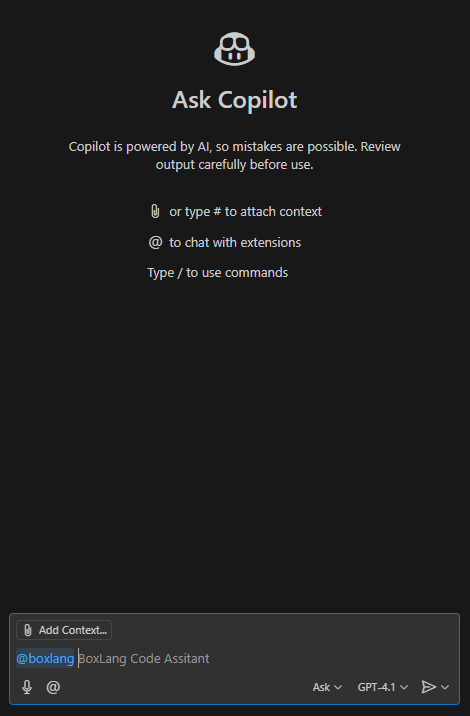
We have configured the chat participant as "sticky" so once you used it will continue to be available for further questioning.
As many AIs have an inherent knowledge cut-off date, they have limited information about BoxLang. In order to solve this problem, we have outfitted the participant with information about our documentation that helps it find relevant info to share with the user.
Try it for yourself! Open up the chat and type something like @boxlang how do I configure a datasource? and you will notice that the participant will select which documentation pages are relevant, add them as context for the chat, and then proceed to answer the question.
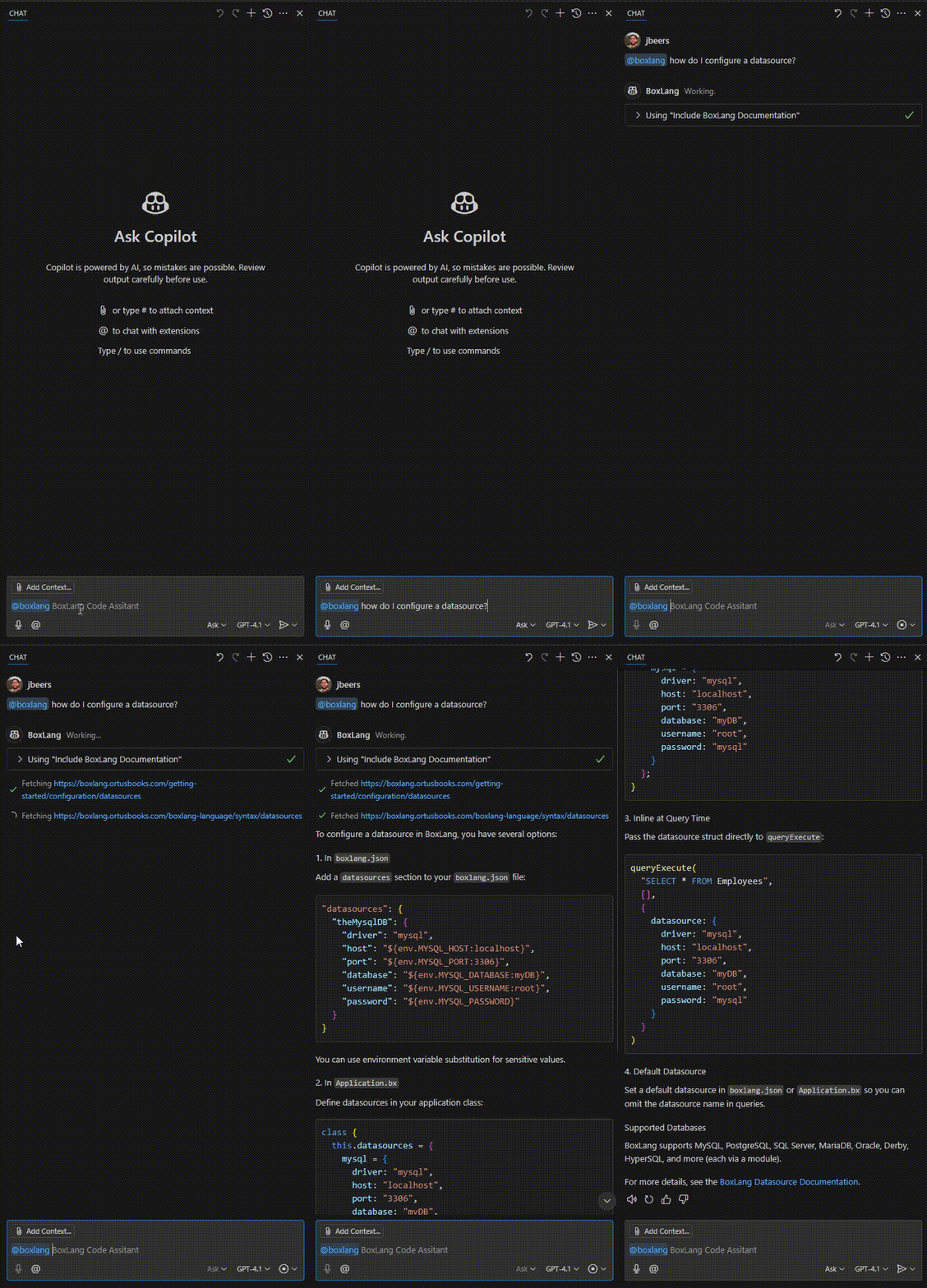
Give it a shot and let us know what you think! You may be surprised to hear this (/sarcasm) but AI is not perfect. We are still trying to find the best way to write our documentation to maximize its usefulness for both human and LLM eyes. If you feel like the chat participant gives poor answers on a subject, please file a ticket and we will see about improving it.
Pre-Release Version
VSCode allows publishers to share a pre-release version of their extension for their users that like to live on the bleeding edge of progress. With this release we have rewritten the CI/CD pipeline so that we can support both the full release and pre-release versions of our app.
To try out the pre-release open up the BoxLang page in the extension marketplace and switch to pre-release.
Learn More
Bug Fixes
- BLIDE-117 Change certain settings to be workspace specific
Conclusion
This has been a summary of our 1.7.0 release. We hope you all enjoy and look forward to the future of BoxLang and VSCode. We'd love to hear from you! If you have any ideas that you want to share with us or run into any bugs, please check out our JIRA board to share your thoughts.
Join the BoxLang Community ⚡️
Be part of the movement shaping the future of web development. Stay connected and receive the latest updates on Into the Box 2025, product launches, tool updates, and more.
Subscribe to our newsletter for exclusive content.
Follow Us on Social media and don’t miss any news and updates:
- https://twitter.com/ortussolutions
- https://www.facebook.com/OrtusSolutions
- https://www.linkedin.com/company/ortus-solutions/
- https://www.youtube.com/OrtusSolutions
- https://github.com/Ortus-Solutions
Join the BoxLang and CFML legends at Into the Box 2025. Let’s learn, share, and code together for a modern, cutting-edge web development future.



Add Your Comment